
Summary created by Smart Answers AI
In summary:
- Macworld reports that a new iOS spyware called ‘Predator’ can disable the iPhone’s camera and microphone indicators, allowing covert recording without the user’s knowledge.
- Developed by Intellexa for government and corporate espionage, this targeted spyware requires user interaction via malicious links to infect devices.
- iPhone users should avoid suspicious links and install iOS updates immediately to protect themselves from these privacy-threatening security flaws.
Researchers at Jamf Threat Labs have discovered new iOS spyware that can disable the iPhone’s camera and microphone indicators, opening up the possibility of camera and microphone recording without users’ knowledge.
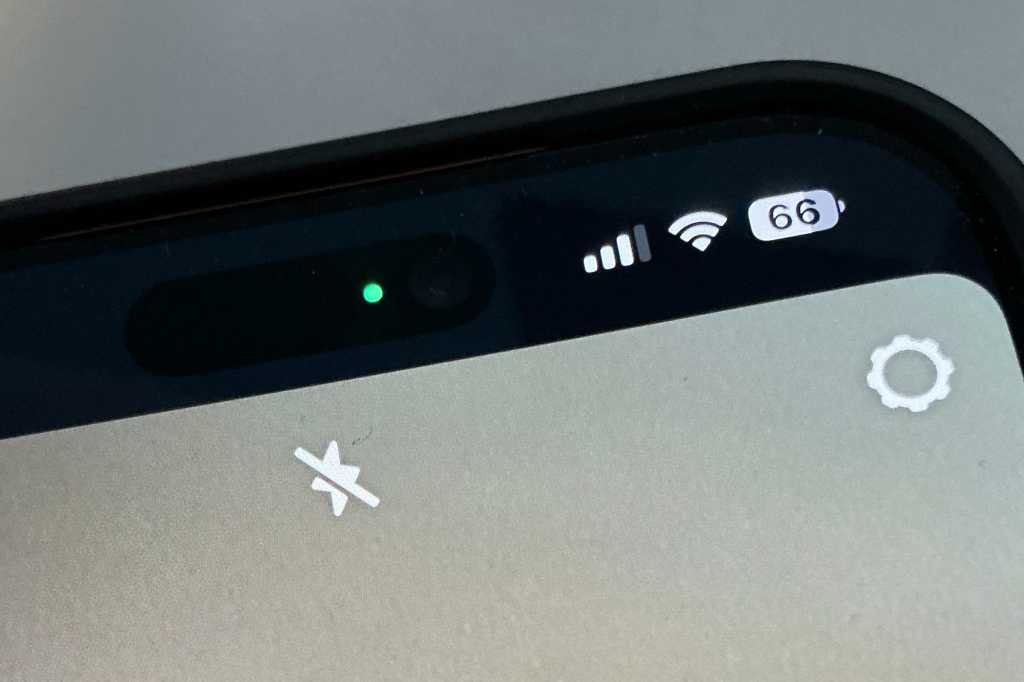
The spyware, called Predator, is developed by Intellexa, a commercial spyware consortium that generally targets governments and large companies. According to Jamf’s report, the Predator can selectively suppress the green (for camera and microphone) and orange (microphone only) indicators that appear on the top of the iPhone.
Predatory spyware has been around for years and works similarly to Pegasus spyware, which was used to hack phones belonging to journalists and activists. Predator can access a phone’s camera and microphone, record data, and send that data to a threat agent. Infecting a phone requires user interaction, which is usually done through a link sent to the target user via messages.
What’s new, according to the Jamf report, is how the Predator can stop indicators from working. In iOS 14, Apple added status bar lights as a security measure to let users know when an app or background task has accessed the camera or microphone. For example, you’ll see a green dot while using the Camera app, or a solid orange dot if you’re recording a voice memo in Notes and swiping to another app.
How to protect your iPhone from spyware
Predator is used by government or corporate espionage agencies for specific targets. It’s not really used on a mass scale in the wild, so it’s unlikely you’ll come across it. That being said, this is an opportunity to remind users not to open links sent by unknown senders. If the message looks suspicious, do not open any links in the messages.
It is also important to install iOS updates as soon as possible. Updates usually include important security patches to protect you and your device. You can update your iPhone with a tap Settings > General > Software update.
For more advice on protecting your iPhone, see iPhone security tips: How to protect your phone from hackers.