
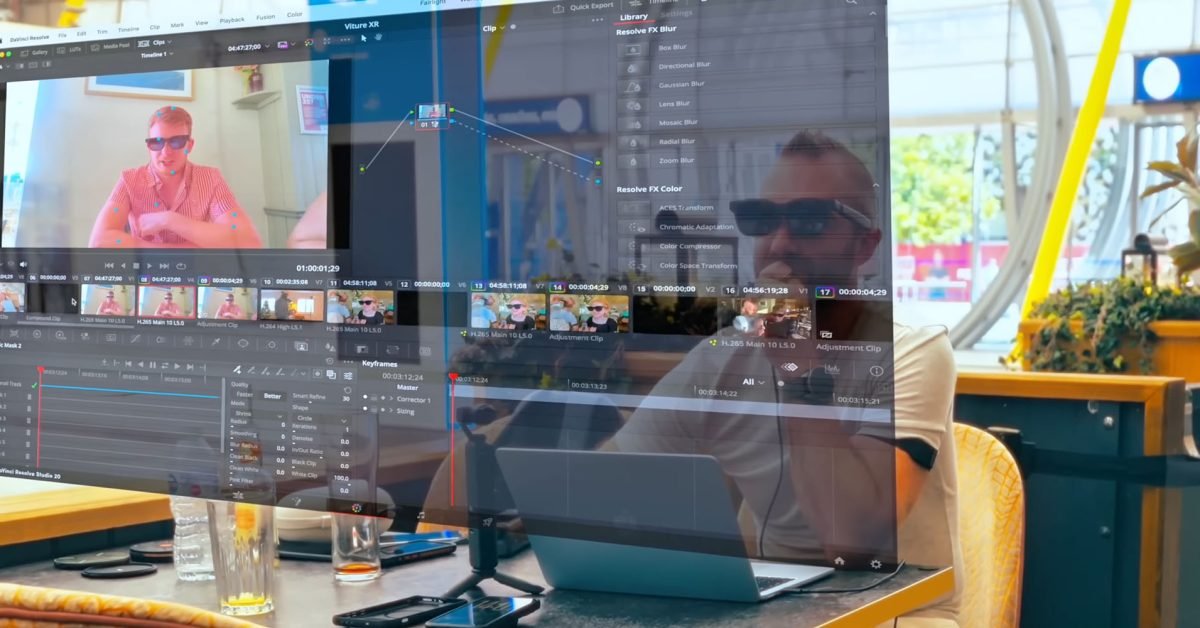
What started as a modest face monitor aimed at watching video and playing games on the go has now evolved into something that is increasingly approaching the Vision Pro with Mac.
The Viture Luma Ultra isn’t perfect, but it’s the closest thing I’ve seen so far to what I’d ideally like from Apple’s future Vision Air…
Don’t buy Vision Pro
When the Vision Pro launched, I said Apple knocked it out of the park. I described it as the most impressive implementation of mixed reality we’ve seen, but said it’s not something I’d be willing to buy given the combination of price and form factor.
Trying one for myself confirmed both of my views: how impressive it is, but also how it doesn’t suit me in terms of both price and comfort.
One thing that was particularly notable in the reviews is that most of those who bought it seemed to end up using it primarily as nothing more than a face monitor for watching movies and TV shows. For this use, I felt that a lighter and cheaper product was a better choice.
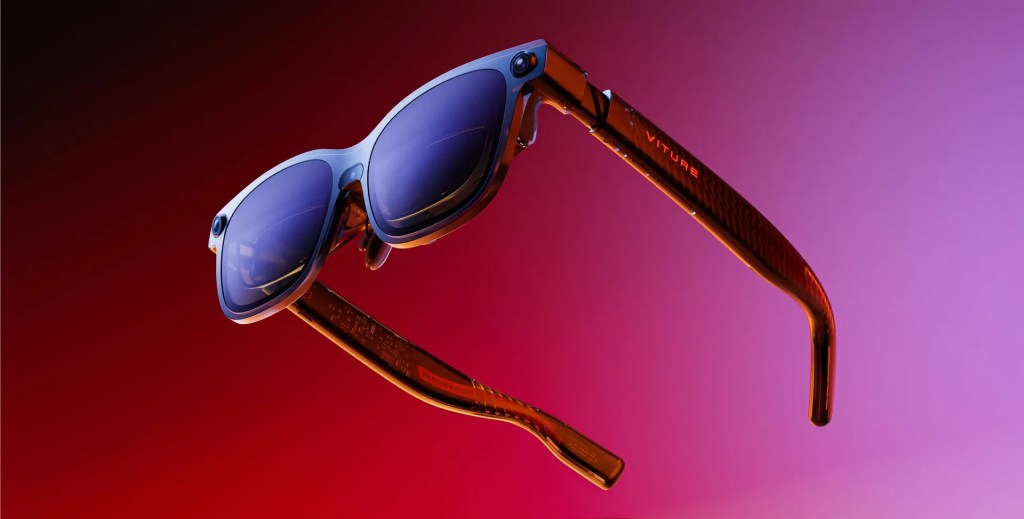
Viture glasses are the form factor I want
But for me, the most exciting prospect for Apple Vision is the ability to use it as a virtual widescreen monitor on the go. I’m not worried about the headset being a standalone device – I’m perfectly happy that it’s a Mac accessory – but the idea of being able to replicate the 49-inch widescreen monitor on my desk in mobile form is hugely appealing.
The Viture glasses I tested later gained the ability to support multiple Mac monitors, but the biggest problem I found was that the positions of the monitors moved slowly in my field of view.
This was the biggest contrast with the Vision Pro. With the Apple headset, the position of the monitors remains firmly locked in space, whereas the shift I experienced with the Viture glasses meant I had to constantly center them, which got old very quickly.
However, what I love about the glasses is how portable and comfortable they are. While I noticed the weight and warmth of the Vision Pro in less than an hour of use, I happily wore these glasses for many hours at a time without issue.
What I really want from the Vision Air is a combination of a light and comfortable device with the robustness of an augmented reality environment.
Viture’s newest and most expensive model is the $599 Luma Ultra (less on Amazon). That’s almost twice the price of the first model, but still a fraction of the cost of the Vision Pro. It also remains almost as light and comfortable as the original.
The single biggest difference is how the Luma Ultra tracks movements. First, instead of supporting three degrees of freedom (3DoF) – up/down, left/right and tilt – they now support 6DoF. This adds both rotation and position tracking.
Second, the Ultra uses external cameras in the same way as the Vision Pro to greatly improve the accuracy of this motion tracking. The model has three cameras, one in front and one on each side.
As a result of both improvements, virtual monitors do dramatic better to stay where you put them. Unfortunately, there is still a bit of a shift, but this is a night and day comparison with earlier models. You can even do the Vision Pro trick – leave home and come back to find your virtual monitors right where you left them.
The combination of the front camera and electrochromic film also makes it much easier to blend virtual displays with your real environment. While this performance doesn’t come close to that of the Vision Pro, it’s still a very big step in the right direction.
You also have the option to fully darken the glasses to completely block out the real world. Holding down any of the transmittance buttons gives you a range of options from a completely black background to a room that is somewhat dimly visible behind the virtual content.
One downside of the Ultra (apparently due to the 6DoF support) is that it no longer supports the same -5.0D myopia adjustment, instead being limited to -4.0D. This means that some users who could previously compensate for nearsightedness simply with adjustment knobs will now need prescription insoles. It was true for me.
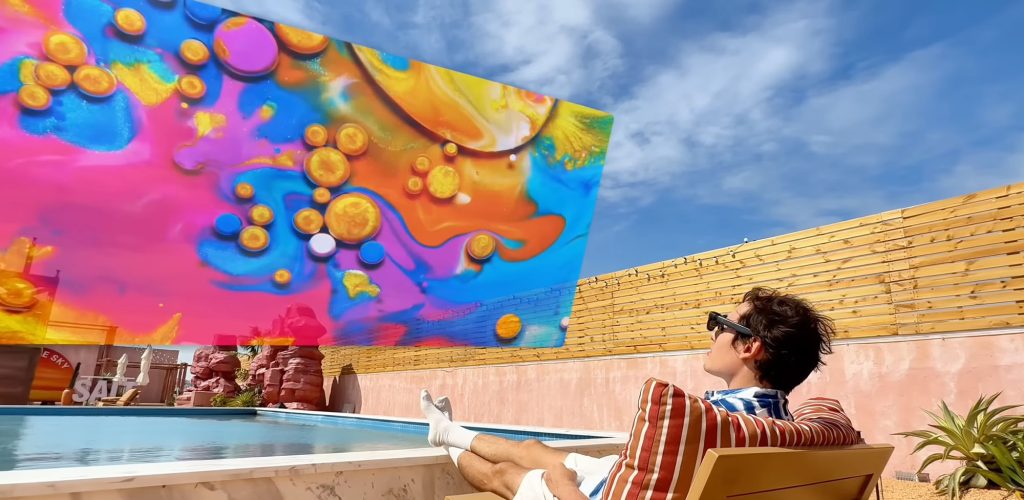
While the glasses support limited video recording, it’s hard to get a real sense of the experience, but you can get a decent idea from the company’s promotional video below.
One thing not shown is the ability to have either one ultra-wide monitor or multiple monitors placed next to each other or on top of each other. I found a single ultra-wide monitor to be the most reliable, and I simply turned my head the same way I would with a physical monitor to view content on both sides.
Conclusions
We’re not there yet. Right now, neither device meets my needs.
The Vision Pro has solid performance and high-definition imaging, but that comes at the cost of both convenience and literal price. The Luma Ultra doesn’t quite deliver the solidity I’m looking for, but the comfort and price are huge advantages.
I really don’t think the benefits of a standalone device are particularly compelling. Anyone who bought a Vision Pro is almost guaranteed to have at least one Mac, and using it as a face monitor for movies and games requires nothing more than hooking up the Luma to an iPhone, the Vision Pro’s equivalent of strapping it to a battery.
So I really think this is the path Apple will take with the future Vision Air product. Give me the combination of the Vision Pro’s performance in a tethered device with the portability, convenience and affordability of the Luma Ultra and I’ll hand over my credit card in seconds. I don’t expect Apple to match Viture’s prices, of course, but something in the $1,000-$1,500 range should be more than doable.
Whether Apple will go down this route remains to be seen. If not, maybe a few more iterations of the Luma hardware or software will provide the rock solid performance I’m waiting for? Watch this space…
Viture Luma Pro are available on the company’s Amazon store.


FTC: We use automatic income earning affiliate links. More.
