
Apple today provided developers with the first beta version of the upcoming iOS 26.4 update, which adds quite a few new features to the iPhone. There’s a video podcast feature, device theft protection updates, end-to-end RCS message encryption, an Apple Music playlist generator, and much more.
We’ve rounded up everything we found new in the first iOS 26.4 beta. The beta is limited to developers right now, but Apple should release a public beta within the next few weeks. iOS 26.4 is expected to launch this spring.
Playground Playlist
Apple Music has a new Playlist Playground feature that allows users to create a playlist using a text prompt.
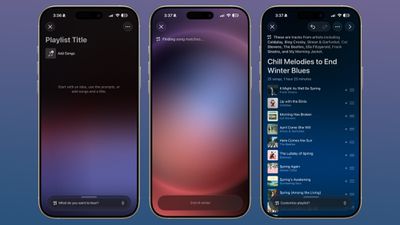
In the Apple Music app, there is an option to enter an idea and get automatic song suggestions for the playlist. Apple has a few preset suggestions that include “music for your morning coffee,” “hip-hop party songs,” and “disco songs that defined the seventies,” but you can enter any idea, mood, or feeling.
From there, Playlist Playground will automatically generate a list of 25 songs along with a custom title. The playlists you create can be further customized with additional text prompts, and you can choose cover and description.
Apple Music
Apple Music includes a “Concerts Near You” feature to help you find shows in your area and tour dates for artists you’re a fan of.
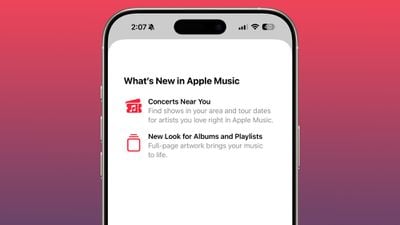
Apple has redesigned albums and playlists and added full-page images.
Apple Podcasts
With iOS 26.4, Apple adds video podcast capabilities to the Apple Podcasts app. The feature uses HTTP Live Streaming (HLS) to give podcasters “unprecedented control and monetization capabilities” while providing a high-quality viewing experience.
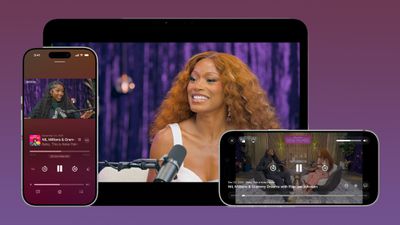
The iOS 26.4 Podcasts app will allow users to switch between watching and listening to shows, while videos can be downloaded for offline viewing. HLS ensures smooth playback regardless of network connection, so videos will work over Wi-Fi or cellular. Apple says new video episodes will be integrated with existing Apple Podcasts features, including personalized recommendations and editorial suggestions in the New and Categories sections.
Protection of stolen devices
Stolen device protection is now enabled by default for all iPhone users, rather than an optional feature.
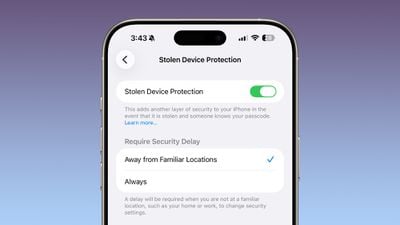
Apple implemented anti-theft protection as early as 2023 after reports of a new iPhone theft method. Thieves would spy on the intended victim to learn their passcode and then steal the target’s iPhone. Using the passcode, criminals were able to empty bank accounts, gain access to passwords and disable Find.
Stolen device protection requires additional authentication via Face ID or Touch ID to access certain iPhone features, such as the Passcode app, Lost in Find it mode, Safari purchases, and more. Some features are completely disabled without verification, while others have a one-hour security delay.
End-to-End RCS encryption for messages
With iOS 26.4, iPadOS 26.4, and macOS Tahoe 26.4, Apple is testing end-to-end encryption (E2EE) for RCS messages, a security feature not currently available for cross-platform messaging.
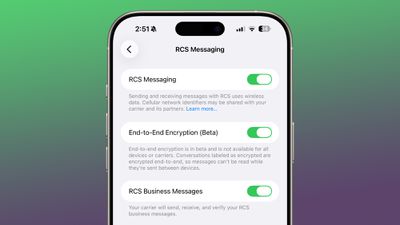
Apple is working with the GSM Association to implement E2EE for RCS messages. iMessage, the messaging protocol for sending texts between iPhones, has long supported end-to-end encryption. RCS messages between Android devices also contained E2EE, but communication between Android and iPhone (or vice versa) was not fully encrypted. With the addition of E2EE for RCS, messages between iPhone users and Android users will finally be as secure as iMessage.
Messages sent by RCS that have end-to-end encryption will have a lock icon in the chat interface. Apple is currently testing iPhone-to-iPhone RCS encryption, with the feature set to roll out to iPhone and Android conversations in the upcoming iOS 26 update.
Messages that contain E2EE will have a lock icon in the conversation UI, both for iMessages and RCS messages.
Messages application
In the Messages app, there are new animations for actions like starting a new conversation.
A unified Apple account design
There is a new unified Apple Account center in the App Store, Apple Music, and other apps that have custom settings, replacing the existing profile feature.
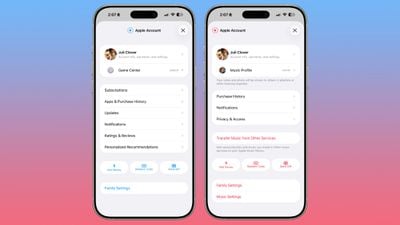
It offers much of the same functionality as the previous profile settings for each app, but has a new unified design.
The App Store combines apps and purchase history and has a dedicated section for app updates. Now it only takes two taps to get to app updates instead of being available at the bottom of the profile page.
The App Store navigation bar also no longer includes Search as a separate button, and the search bar itself is at the top, not the bottom, when tapped.
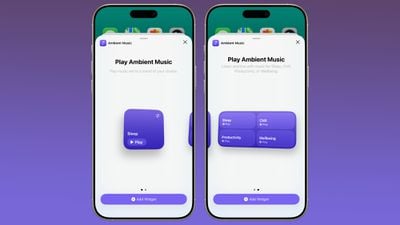
A new Ambient Music widget is available for the home and lock screens. It supports playback of various built-in ambient music options for sleep, productivity, relaxation and more.
Watch face wallpaper and gallery
Wallpaper Gallery has an updated design that allows you to download wallpapers from every category like Weather, Astronomy, Emoji, Colors and more to your iPhone.
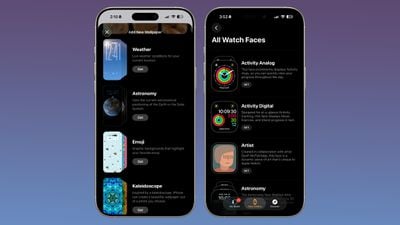
The Watch Face gallery in the Apple Watch app also features the same design change.
Freeform Creator Studio
Freeform Creator Studio is live in iOS 26.4 and gives Creator Studio subscribers access to new Freeform features. Creator Studio for Freeform adds a dedicated Content Hub that includes Freeform’s shape options.
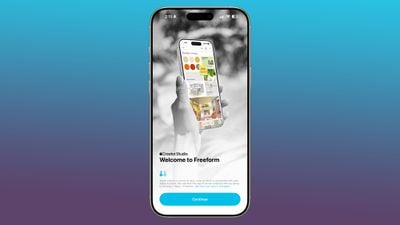
Creator Studio users will have access to free, high-quality content such as graphics, photos and illustrations not available to non-subscribing users, plus artificial intelligence features for creating and editing images.
When Creator Studio launched, Apple said premium content and features on Freeform would be available with Apple Creator Studio subscriptions later this year.
Freeform also has a new icon.
A reminder
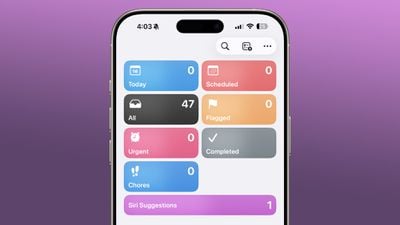
The Reminders app has a new “Urgent” section. Reminders that have Urgent turned on when created will appear here. Urgent ensures that reminders have an accompanying alarm, so you get a clear warning when the reminder is due.
iCloud website settings
In the iCloud section of the Settings app, there is now an “iCloud.com” option if you scroll to the bottom of the interface. It replaces the simple “Access iCloud data on the web” toggle that was previously available.
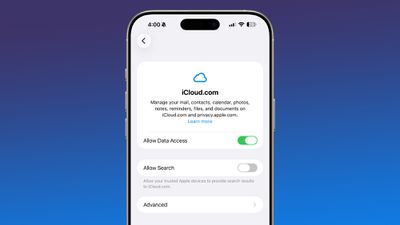
This setting includes a new “Allow Search” switch that allows trusted Apple devices to provide search results on iCloud.com.
New Emoji
There are no new emojis in iOS 26.4, but the code suggests that new characters will be introduced in a future beta. There are links to new emoticons and we expect some new emoji options.
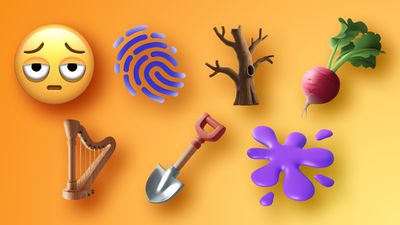
Among the emoji characters coming are a trombone, a treasure chest, a deformed face, a hairy creature (aka Bigfoot or Sasquatch), a battle cloud, an apple core, an orca, a landslide, and ballet dancers.
Forwarding notifications for third-party devices (EU)
In the iOS 26.3 beta, Apple tested a new “Notification Redirection” setting that allows incoming notifications on an iPhone to be redirected to a third-party wearable device such as an Android smartwatch, but it was not included in the launch version of the software. It’s back in iOS 26.4 beta.
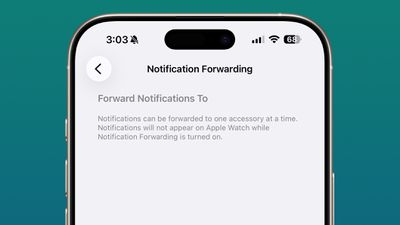
Notifications can only be forwarded to one device at a time, so if notification forwarding is enabled on a third-party wearable device, the Apple Watch will not be able to receive and display notifications.
Apple is adding notification forwarding to address antitrust complaints that suggest third-party wearables should have the same access to notifications and other features as the Apple Watch. It is limited to the European Union.
Touchless pairing – EU only
In the iOS 26.3 beta, Apple also tested other Europe-only changes for third-party wearables that were shared by the European Commission, such as Proximity Pairing.
Touchless pairing allows third-party devices to pair with an iOS device with a single tap, similar to AirPods, by holding the accessory close to an iPhone or iPad. Proximity Pairing was not enabled in iOS 26.3 and may also come in iOS 26.4.