
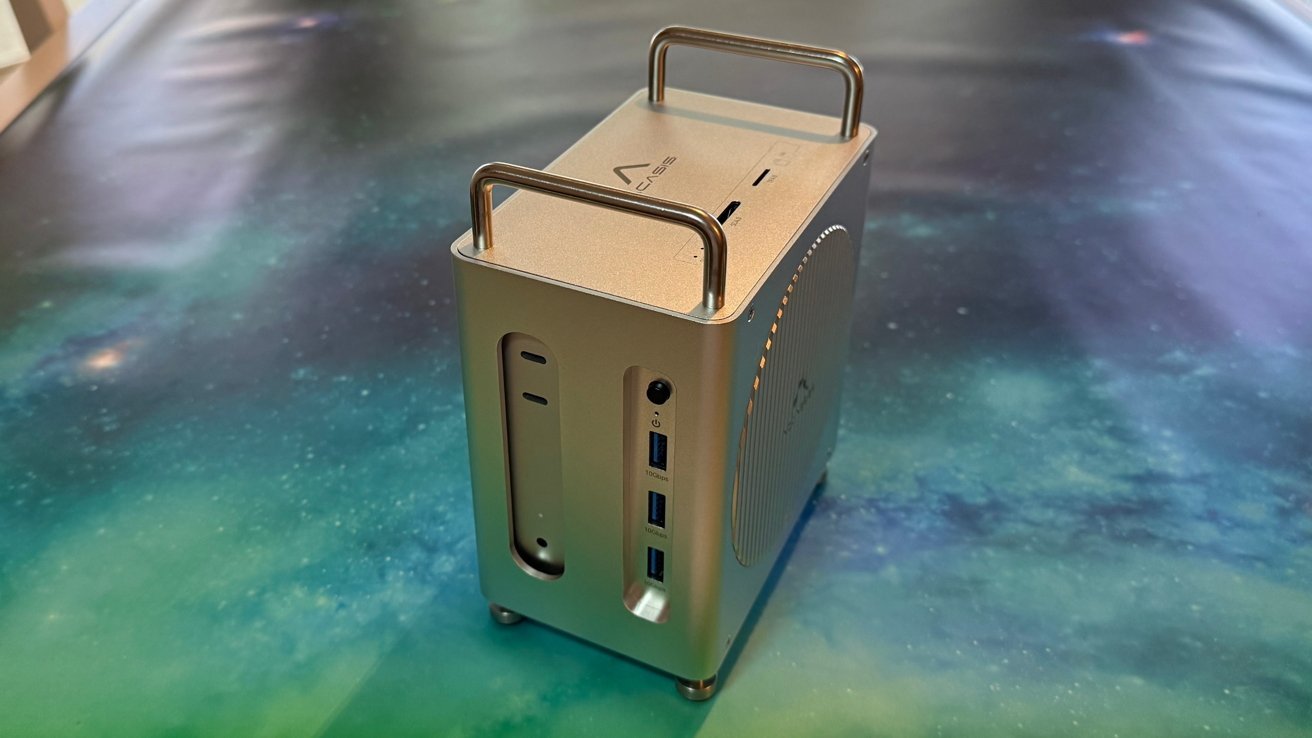
The Acasis 40Gbps Mac mini M4 Dock gives your computer great legacy connectivity options, two SSD slots and utilizes Thunderbolt. For once, an affordable M4 Mac mini dock that isn’t bandwidth hungry.
We do a lot of dock reviews here for good reason. There are lots and lots of recommendations from you, the users.
We had several requests for one in particular – the Acasis 40Gbps Mac mini M4 Dock.
It’s an interesting concept. Only slightly larger than the M4 Mac mini, the “dock” houses the Mac mini and wraps it in a well-ventilated aluminum shell that’s covered with ports.
Acasis 40Gbps Mac mini M4 Dock review – build and dock a Mac mini
Acasis 40Gbps Mac mini M4 Dock could work without a Mac mini inserted. However, this defeats the purpose of the product.
A Torx screwdriver is included for removing the unit, which is nice. We’re ready for the Philips head screws on products like this to die out.
The side door contains a pair of M.2 slots for SSD drives and thermal pads are part of the package.
Acasis 40Gbps Mac mini M4 Dock review: Access to storage
Throw your own SSD in there, put on the thermal pads and screw the door back on. Simple.
Don’t do what I did in the beginning – instead of removing the top four screws, remove the bottom four. The Mac mini is inserted from the bottom of the unit.
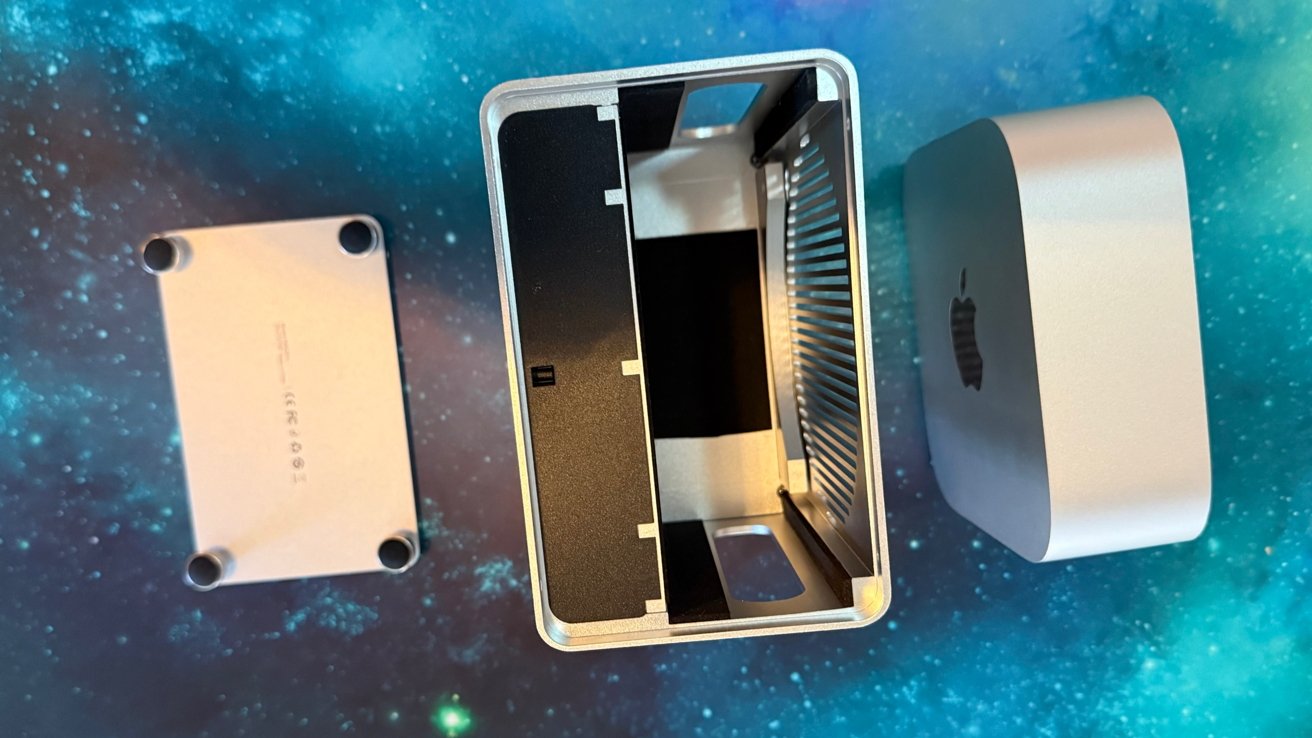
Acasis 40Gbps Mac mini M4 Dock review: Where the Mac mini is going
Once in place, the bottom feet screw back on and you’re good to go, with the power button now on the healthy side of the unit. A short cable is included that connects from any rear Thunderbolt port to a host port on the dock.
Acasis 40Gbps Mac mini M4 Dock review – ports and connectivity
Three USB-A 10 Gb/s ports serve external drives, audio devices and peripherals. Each of them provides a power of up to 4.5 W.
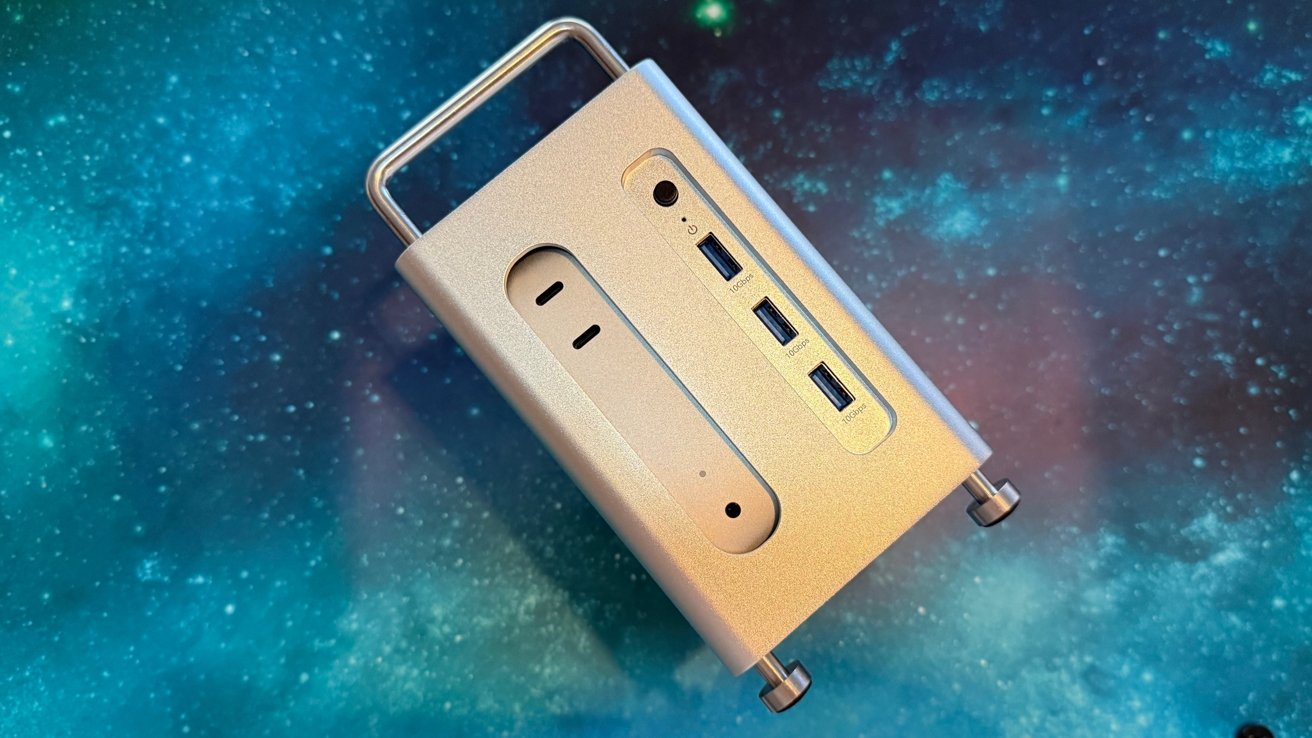
Acasis 40Gbps Mac mini M4 Dock Review: Front Ports
The performance of these three ports varies a bit depending on what you require from them. They provide 4.5W of power, which is a bit low for some external peripherals, but keyboards, mice and external SSDs should be fine.
However, we recommend external power for drives connected to a hub, regardless of manufacturer. If you have a bandwidth-critical drive, connect it directly to the Mac mini.
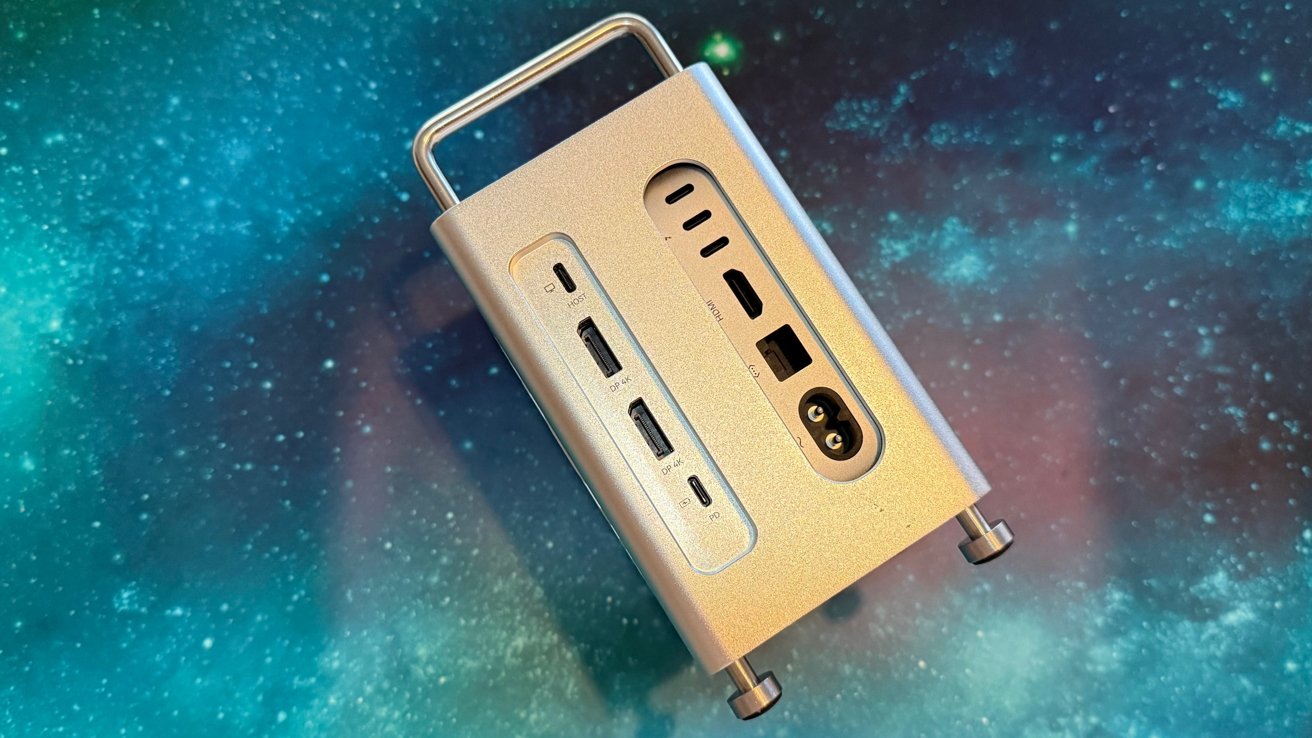
Acasis 40Gbps Mac mini M4 Dock Review: Rear Ports
Two DisplayPort outputs provide up to 4K 144Hz refresh with one connected display or two 4K with 60Hz refresh rate. A third monitor can be connected directly via the Mac mini HDMI or USB-C port as needed.
The top of the drive has SD/TF 4.0 slots with transfer speeds of up to 312 megabytes per second, simplifying photo and video workflows. I didn’t quite hit that, the maximum speeds reached 220 megabytes per second.
I didn’t notice any Wi-Fi attenuation during testing. It’s under a metal mesh, but that’s much more permeable to radios than the metal plate next to the Wi-Fi antenna.
ACASIS 40Gbps Mac mini M4 Dock Review – Storage
The main selling point of the Acasis Mac mini M4 docking station is the storage slots. The package includes everything you need with thermal pads, screws and so on to attach the drives.
Each slot is capable of 20 gigabits per second and supports RAID 0, RAID 1, JBOD or single drive configurations, all software-selected. The company says that RAID 0 can achieve throughput of up to 40 Gbps, which would make it ideal for 4K editing and 3D rendering.
Without attached displays, we managed to read and write 2,400 megabytes per second to a pair of 1TB M.2 drives. It’s not as fast when the displays are docked.
When running two monitors over DisplayPort, we found RAID 0 array speeds slowed to around 1,500 megabytes per second read and write. This is the nature of a 40 gigabit connection and is expected.
Acasis 40Gbps Mac mini M4 Dock review – Nice but not great with connectivity
If you absolutely need Mac Studio, you’ve already bought it. The M4 Mac mini, pro or not, is an excellent machine, but it lacks the robust I/O of its larger cousin.
The Acasis Mac mini M4 Dock is a bit more than just a hub – it’s a Mac mini-based workstation upgrade. Between the RAID storage, triple display capability, and good legacy connectivity, it’s tailored for video editors, designers, streamers, and anyone who needs a Mac Studio-like extension at a fraction of the price.
For the price of one Thunderbolt port, you get DisplayPort, much faster than a 10 gigabit per second SSD, an additional USB-C port, card readers, and three USB-A ports.
The only trade-off is less bandwidth balancing under heavy dual-monitor and RAID loads. But for most users with Pro workflows and a cheap Mac mini, it’s a top-tier upgrade that costs less than most Thunderbolt docks and has storage slots to boot.
We’d like to be able to remove the sawtooth Mac Pro style and just use it as a metal box, but it’s attractive enough to sit on your desk or under the TV as a media server.
Acasis 40Gbps Mac mini M4 Dock Review — Pro
- Good balance between price and features
- Two SSD slots
- Easy installation, no Phillips head screws
Acasis 40Gbps Mac mini M4 Dock Review — Cons
- The expected speed drops from the SSD when you slam the dock with IO
- The design elements of the Mac Pro are cute, but unnecessary and non-removable
Rating: 4.5 out of 5
For less money than a 10 gigabit USB-C hub and a docking station with SSD storage, you can get the Acasis 40Gbps Mac mini M4 Dock. It’s faster, has more ports and those SSD slots are very nice.
And it slips quite nicely into a travel bag without needing an external power supply like most Thunderbolt docks. I highly recommend this one.
Where to buy Acasis 40Gbps Mac mini M4 Dock
The Acasis 40Gbps Mac mini M4 Dock is available direct from Acasis for $179. It is also available from Amazon for $179.99.