
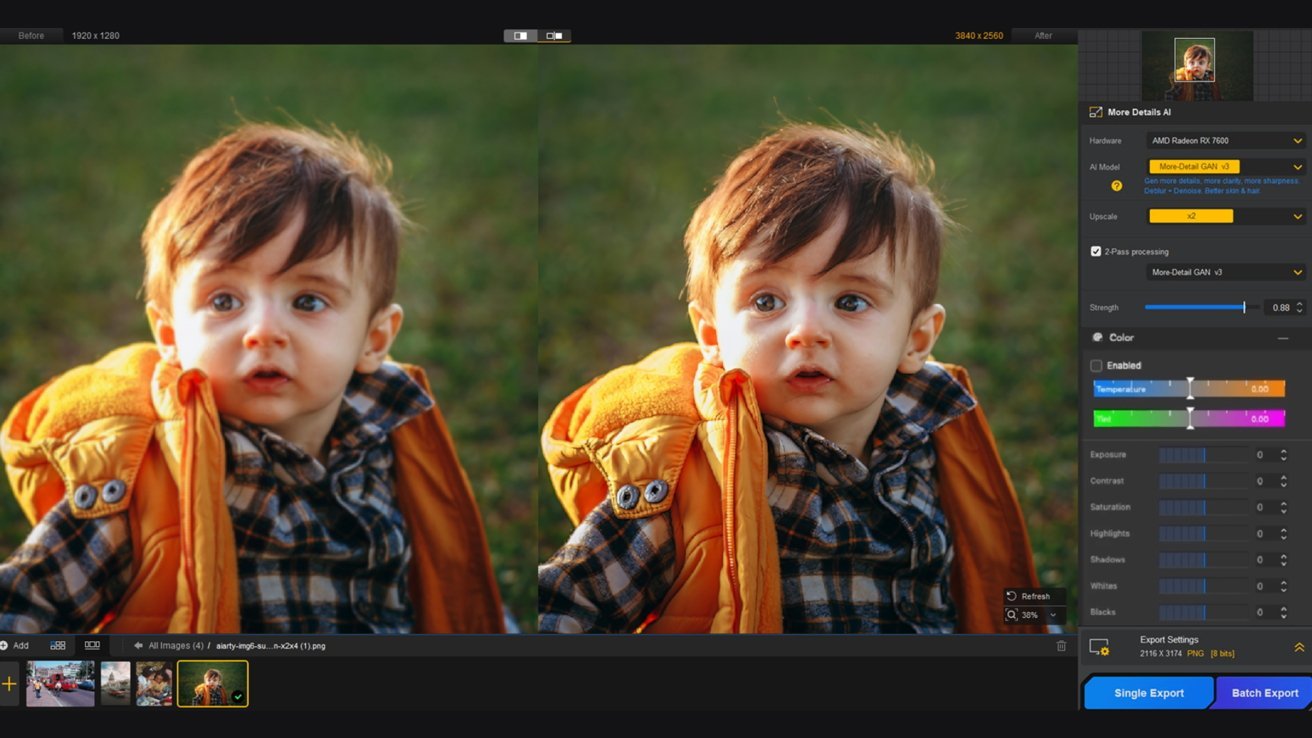
Fix blurry photos. Image source: Digiarty
Aiarty Image Enhancer makes it easy to enhance photo quality, restore old photos, reduce low-light noise, fix soft focus, upscale images, and restore natural clarity.
While iPhones and the Mac Photos app have been collecting your photos for years, these decades-old photo assets often fall short of modern 4K screens and large prints.
Can you fix old iPhone photos, noisy low-light shots, vintage albums from early 2000s photo-sharing sites, and soft, blurry scans?
For professionals and beginners alike, Aiarty’s desktop image enhancement tool offers easy, high-quality enhancements. Here are some of the main reasons why Aiarty Image Enhancer has become the best choice among beginners, photographers, photo archivists, content creators and anyone who has valuable photos:
- It supports both manual control and AI inference to enhance photo quality
- Works offline for secure processing of client projects and private personal photos
- It delivers natural results without over-sharpening or waxy effects
- It offers a true lifetime license for unlimited free updates
Aiarty Image Enhancer: Image and photo enhancement software with natural results
At its core, Aiarty Image Enhancer is an easy-to-use photo enhancement software for Mac and Windows. It helps you resample images, reduce image noise, fix blurry images, recover compression artifacts such as blocks, color spots, and jagged edges, and improve image quality with natural clarity.
What Aiarty Image Enhancer focuses on: Delivering natural, clear images with details
As professional photo enhancement and image resampling software, Aiarty does not aim to replace photo editing applications such as Photoshop or Lightroom. Instead, it fills the void and improves your image recovery workflow, upscaling, noise reductionand photo cleaning with batch job support.
Aiarty supports power control to improve AI, avoid over-processing, unnatural results or artificial appearance. You can optionally combine it with its new face restoration tool and color features for specific photos and scenarios.
Exclusive offer:
For a limited time, you can enter the deal and save 49% on a lifetime license of Aiarty, a true one-time purchase to enjoy full features and unlimited free updates to all future versions. To take advantage of this offer, see the details at the bottom of this article.
Scenarios in which Aiarty Image Enhancer helps
- Improve the quality of your photos: Restore old photos, fix soft, blurry scans, fix images compressed by apps and messaging platforms, clean up low-light shots, and upgrade old photos.
- Adjust images flexibly: Either upscale without oversampling or choose x2, x4, x8, 4K, 8K and custom resolution. Run 2-pass processing to restore more detail and improve photo clarity.
- Adjust the strength: Watch quality improvements in real-time, adjust the strength slider accordingly, and prioritize faithful restoration with natural results.
- Restore clarity: For family photos, archived pictures, old low-resolution camera pictures, cropped pictures, etc.
The app runs locally on macOS and Windows, meaning your images never leave your device.
No cloud processing, no uploading. The offline mechanism ensures 100% security for every task, such as working with private collections, working with clients or archives.
How to improve photo quality on Mac with Aiarty Image Enhancer
Inside Aiarta, you can restore photo quality with or without upscaling and adjust the strength of enhancements.
It works like this:
Enhance your old pictures. Image source: Digiarty
- Add defective photos to Aiarty Image Enhancer.
- Choose an AI model and see the difference in real time.
Choose x1 to enhance while maintaining the original resolution, or choose x2, x4, 8K or custom dimensions for large displays and 300 dpi prints.
- Drag the strength slider to compare the results.
Depending on the type of image, you may want a higher power for more detail or a medium power to maintain a more natural feel while improving clarity.
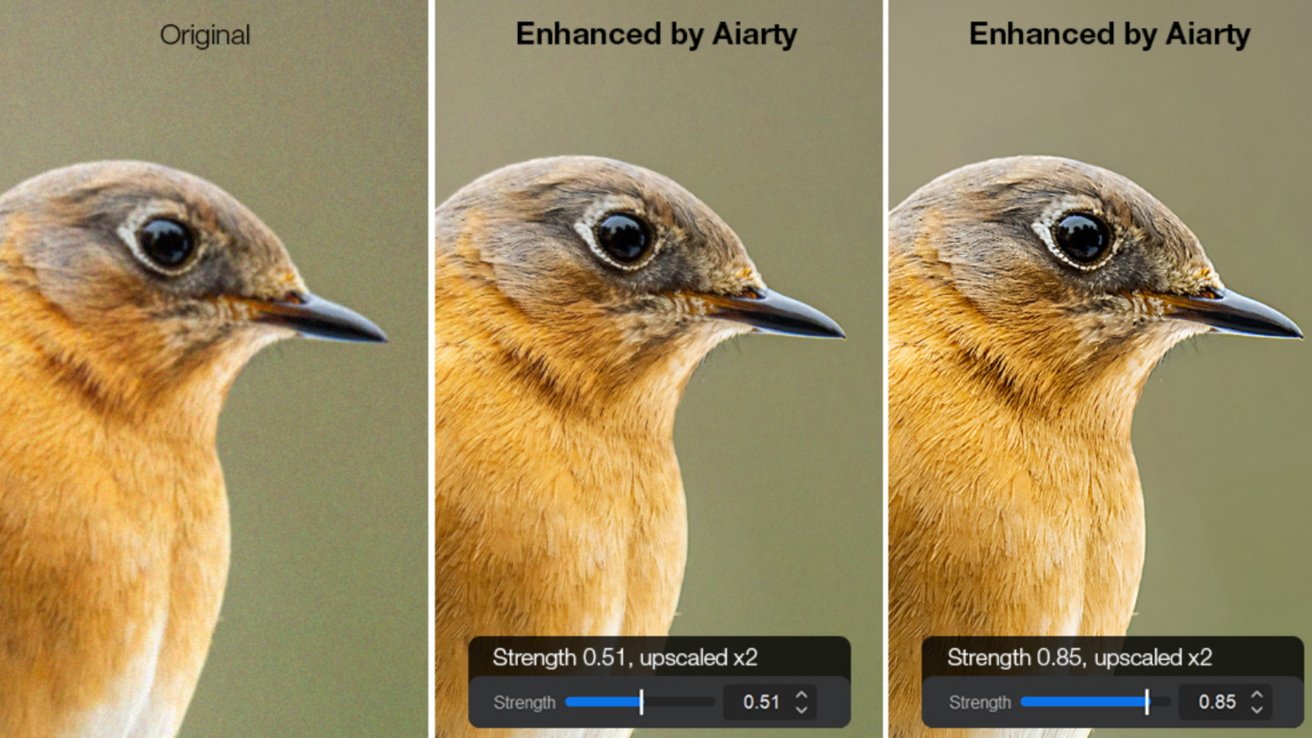
Upscale and remove grain. Image source: Digiarty - Optionally, you can adjust colors or retouch photos.
- Export enhanced photos in bulk.
Aiarta models are optimized for Mac silicon chips and Nvidia/AMD/Intel hardware for efficient processing. To save time, you can enhance one image or in bulk.
AI model best practices and settings
Aiarty Image Enhancer offers basic AI models to cover different photo types and quality restoration scenarios. You don’t need technical skills and can easily switch models and compare the differences.
- More details of GAN v3: This model restores better brightness and sharpness of images with improved details of skin, fur, fabric textures and architectural surfaces. Using two-pass processing (running twice) will enhance more details.
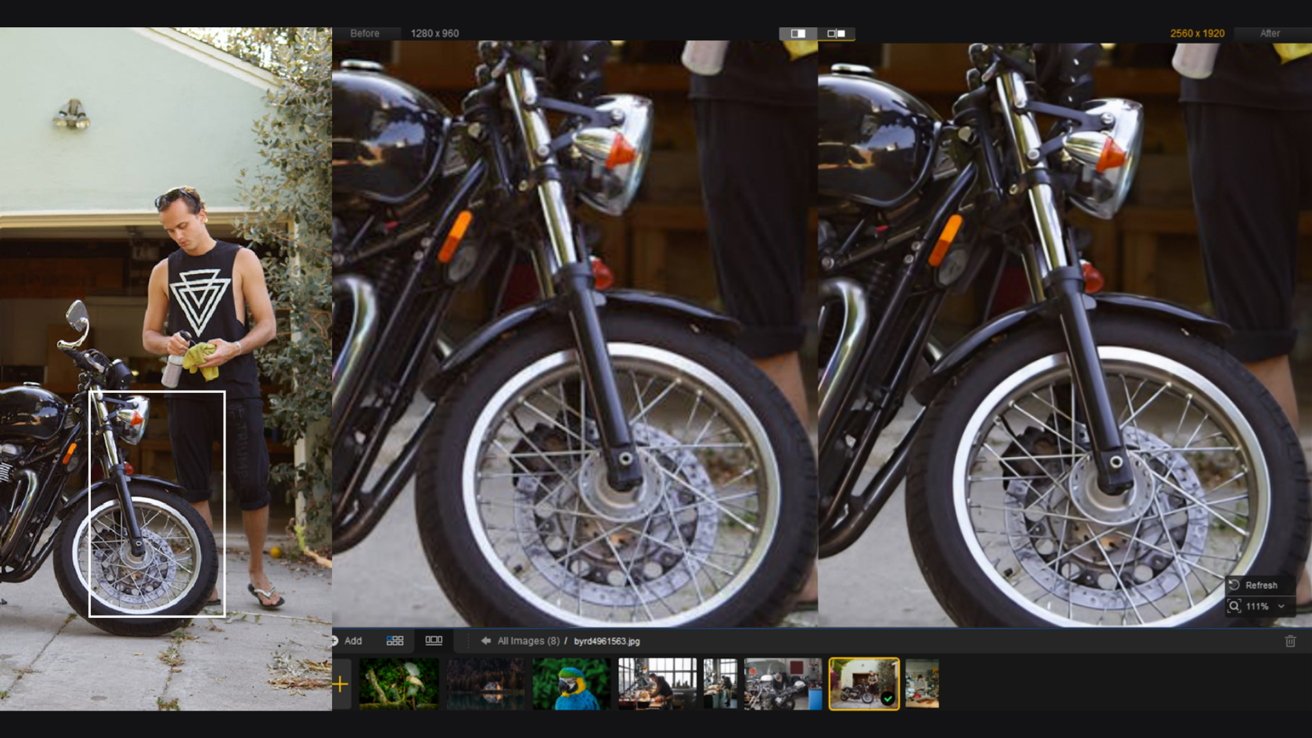
Enhance the details in the photo. Image source: DigiartyIf you prefer a more natural recovery, in addition to tuning the strength of the More-Detail model, you can also easily switch models and see the quality improvement in real time.
- Real-Photo v3: This model works well for wildlife photography, portraits, landscape photography, low-light interiors, real-life photography, underwater photography, etc. Use it to enhance photo clarity, fix soft focus, and restore natural sharpness while remaining true to the original feel of the image.
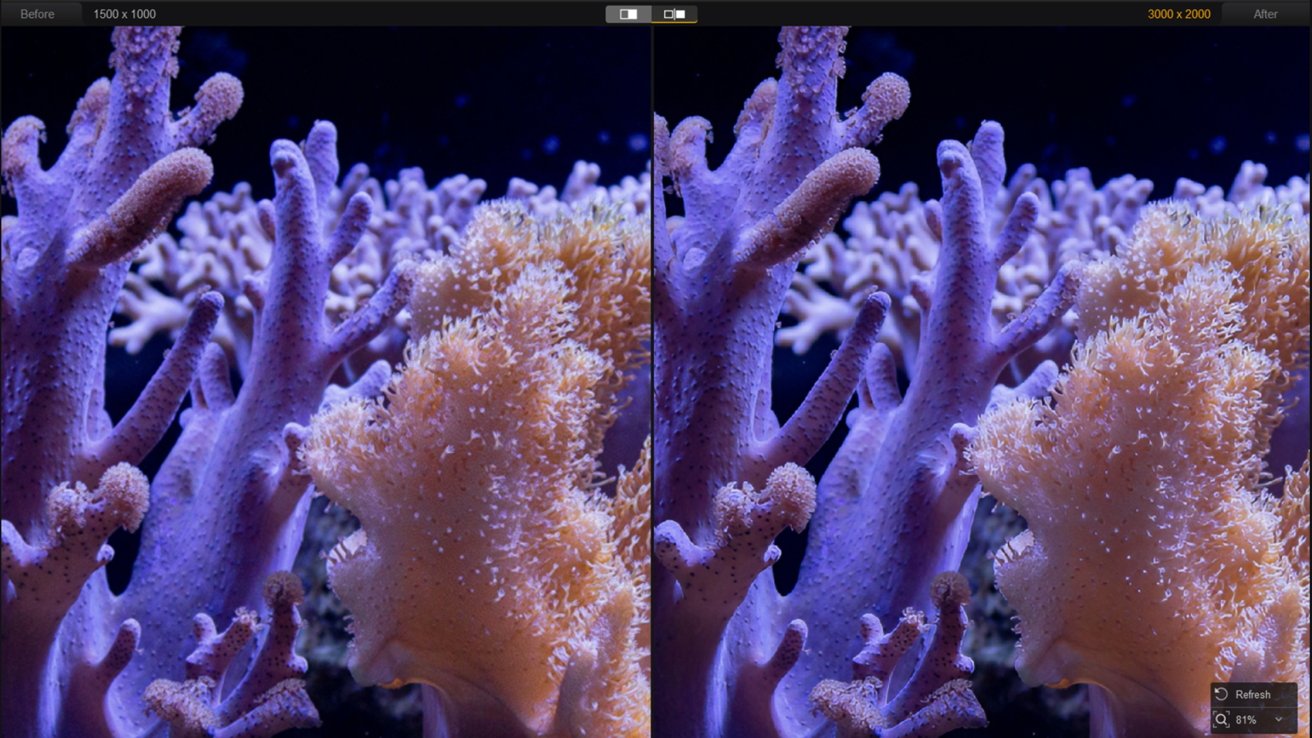
Improve the clarity of your photo. Image source: Digiarty - AIGCsmooth v3: Ideal for digital illustrations, artwork, AIGC assets and anything where a smoother, more even and natural look is preferred.
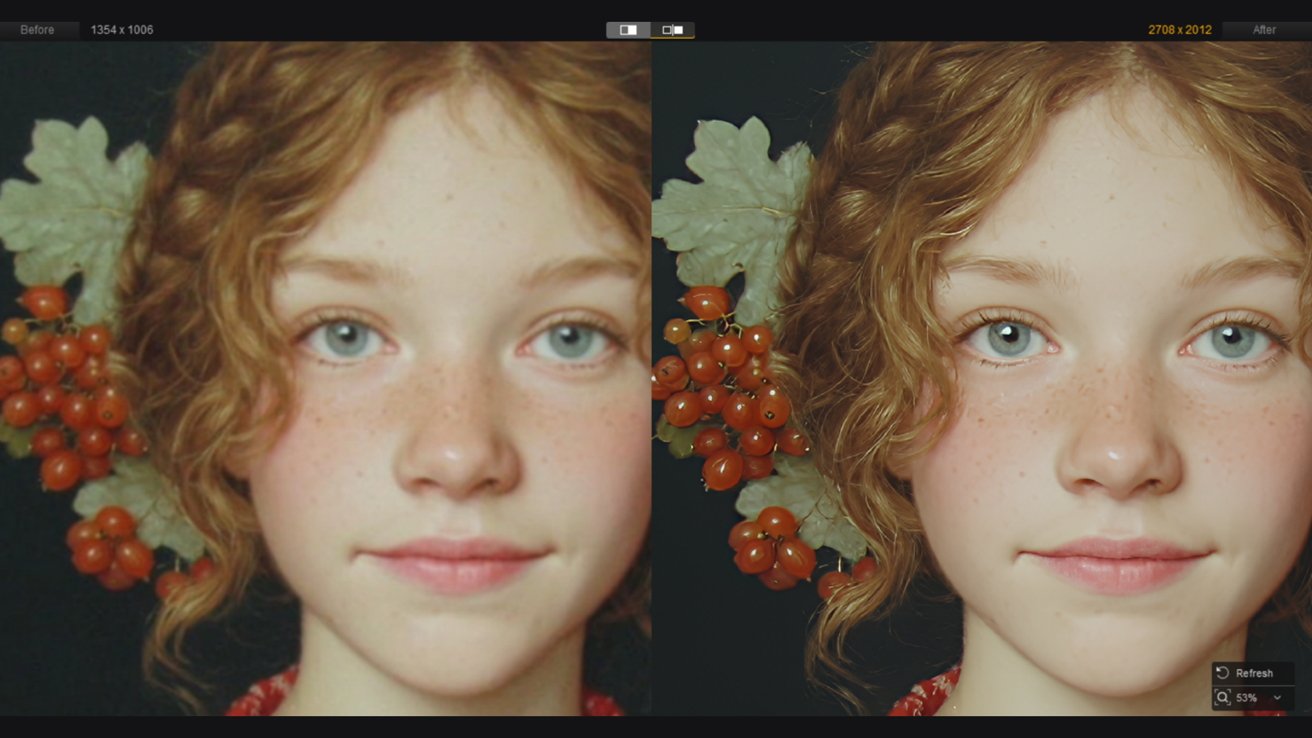
Create a smoother, more natural look. Image source: Digiarty
Upscaling is optional for each model.
Aiarty has algorithm modules to analyze quality issues, then naturally blur, denoise or enhance clarity. Upscaling the image is not necessary.
You can opt for x2, x4 and higher resolutions, or choose x1 to preserve the original resolution when restoring quality.
Usage examples and tips
Enhance your photo
For large images such as wildlife photographythe noise reduction in Aiarty’s models does a good job of cleaning up photos while keeping details bright and vivid. It distinguishes high ISO noise from natural film grain and texture, delivering a faithful result without altering your artistic intent.
You can read this great wild animal practical test with Aiarty with a direct before and after comparison and tips for setting up the best quality.
Restore old photos and portraits
For old portraits and low-resolution images, you can start with standard quality enhancement and choose AI models such as MoreDetail or Real-Photo.
In some cases, you can enable face restoration, upscale to x4, or run it again at x2 to restore skin detail and reduce blur. Gradual upscaling with strength control helps achieve a natural result while increasing clarity.
Delete unwanted objects and increase the quality
For smudges and unwanted objects, you can use the built-in eraser tool to clean them up.
Aiarty Deals: Save 49% on Image Upscaler and Enhancement Software
Recent updates to Aiarty Image Enhancer add additional formats, TIFF/DNG export, new face restoration models, and an AI eraser tool, along with an optimized workflow for upscaling and image enhancement.
Available for both Mac and Windows users:
- Lifetime license: now $79 (regular price was: $155), use on 3 devices. It supports unlimited updates for all future versions and gives you access to the latest models and full features.
- Standard license: now $65 (regular price was: $85), use on 3 devices. It supports free software updates for one year and access to all features and models.
- Free to download
The lifetime license offers a true one-time purchase, especially if you’re tired of other subscription-based tools.
Final thoughts
Aiarty Image Enhancer offers a straightforward way to improve photo quality, enlarge images with natural details, restore old, compressed photos, and optimize your workflow with optional blur and color tools. For your previous collections plagued by ISO noise, speckles and blur, this offline image enhancement tool offers a safe, high-quality and affordable solution.