
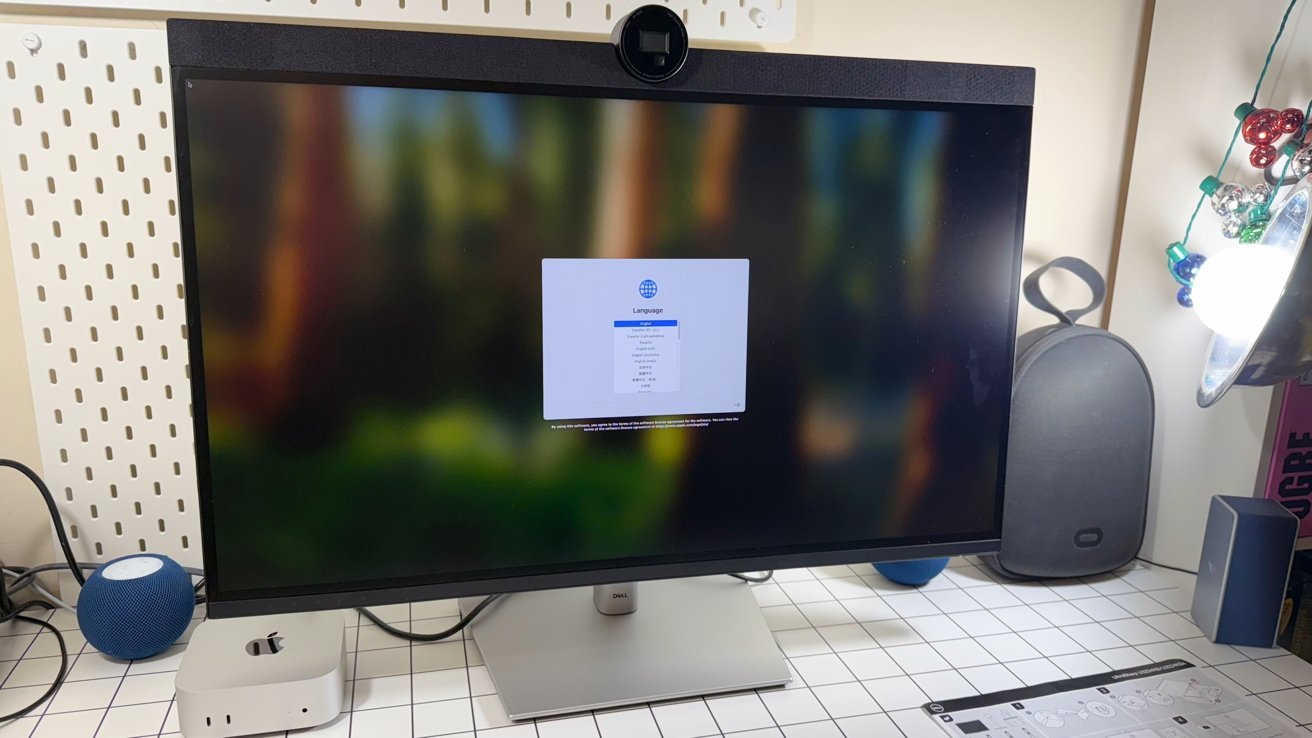
The Dell UltraSharp 32 6K monitor is priced between the Apple Studio Display and the Apple Pro Display XDR, and is an excellent choice for both in a multi-platform environment.
Apple Pro Display XDR is fantastic. And extremely expensive.
As a 32-inch 6K screen, it’s a high-end and definitely premium choice for those with very deep pockets.
I don’t have deep pockets. So I looked elsewhere.
The Pro Display XDR has some impressive bells and whistles. The Dell UltraSharp 32 6K monitor, model U3224KB, has more and is less than half the retail price.
Some may just want a very large screen and a resolution to match. And if you want to connect something other than Apple hardware to the display, there’s only one real choice.
Released in 2023, the Dell Ultrasharp 32 6K retains the size and pixel count of its Apple 6K counterpart, but virtually everything else is different.
While the Pro Display XDR is more of a niche tool for creatives, the Dell display is an option for everyone. At least for anyone who needs that “true Retina” resolution at 32 inches.
I’ve been using the Dell Ultrasharp 32 6K for about a year now and have been impressed with most of them.
Dell UltraSharp 32 6K Review: Physical Design
The Dell UltraSharp 32 6K Monitor takes a slightly different approach to the normal when it comes to its general design. It’s a stand display as you’d expect, but it has a forehead instead of a chin.
And it’s a pretty massive forehead. Honestly, I found it a bit baffling.
What’s more, there’s also a round hump in the middle that houses the webcam.
Dell UltraSharp 32 6K review: Performance and controls
That’s a pretty obvious design…error? Declaration? I’m not sure. It definitely needs some tweaking. More on the camera itself in a moment.
It measures 28.2 inches wide, 9.3 inches deep, and 20.6 inches tall, with the stand in its lowest position. This stand consists of a flat plate and a rod that attaches to the back of the monitor in a square at the back where the VESA mounts are attached.
If you want, you can leave the mount aside as a 100 x 100mm VESA mount can be used. But I like the stand.
This stand allows you to rise up 6.3 inches, has a 90-degree swivel, a 30-degree swivel angle in each direction, and a tilt angle between -5 and 21 degrees. That’s a pretty good range for a stand and probably meets most people’s needs without having to resort to using special table arms.
At 29.32 pounds, which is mostly a stand, it’s not exactly light. It’s also not a display you’ll be wearing.
Dell UltraSharp 32 6K Review: Display
The screen itself is an LED-backlit TFT panel, which is IPS Black, resulting in lower black levels than your typical IPS display. It has a native resolution of 6144 x 3456, a refresh rate of 60 Hz and a total pixel density of 223 pixels per inch.
For comparison, a 32-inch 4K display has approximately 138 pixels per inch. How much this matters is left as an exercise for the reader.
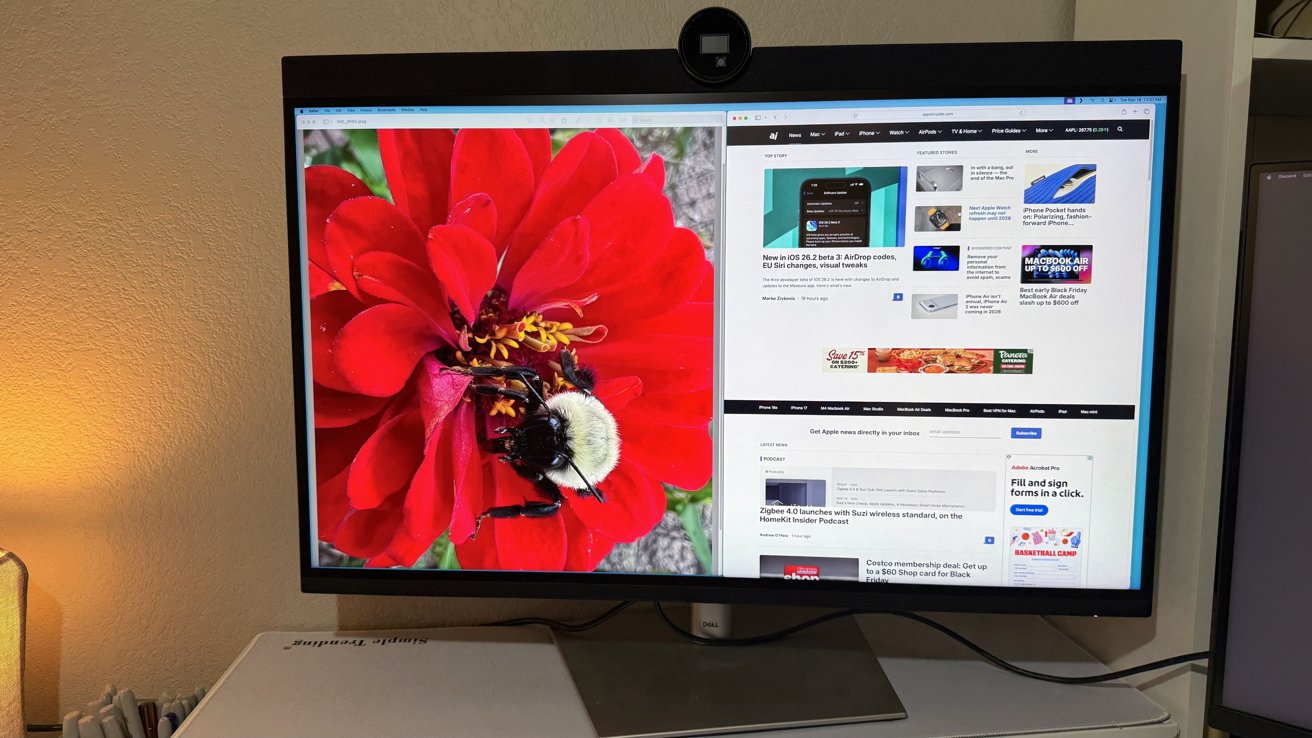
Dell UltraSharp 32 6K review: On and off
Contrast is 2,000:1, which is good, but not at Pro Display XDR level. It’s also not very bright at 450 nits, but again it’s good enough for most people, as is its 5ms gray-to-gray response time.
In terms of color representation, it can support 1.07 billion colors. This includes 99% of the DCI-P3 color gamut and 100% of sRGB and Rec 709, so it handles color very well.
There’s even HDR600 support for watching high dynamic range content. Unfortunately, macOS support for HDR is still a bit sketchy as of November 2025, so your mileage may vary here.
Dell UltraSharp 32 6K Review: Webcam and Audio
The webcam. It’s just an eyesore.
It’s an 8-megapixel camera with 4K resolution and a Sony Starvis CMOS sensor that shoots at 30 frames per second. It’s also Windows Hello compatible if you care, has a 5x digital zoom which is nice, and can focus on subjects up to 4.5 meters away.
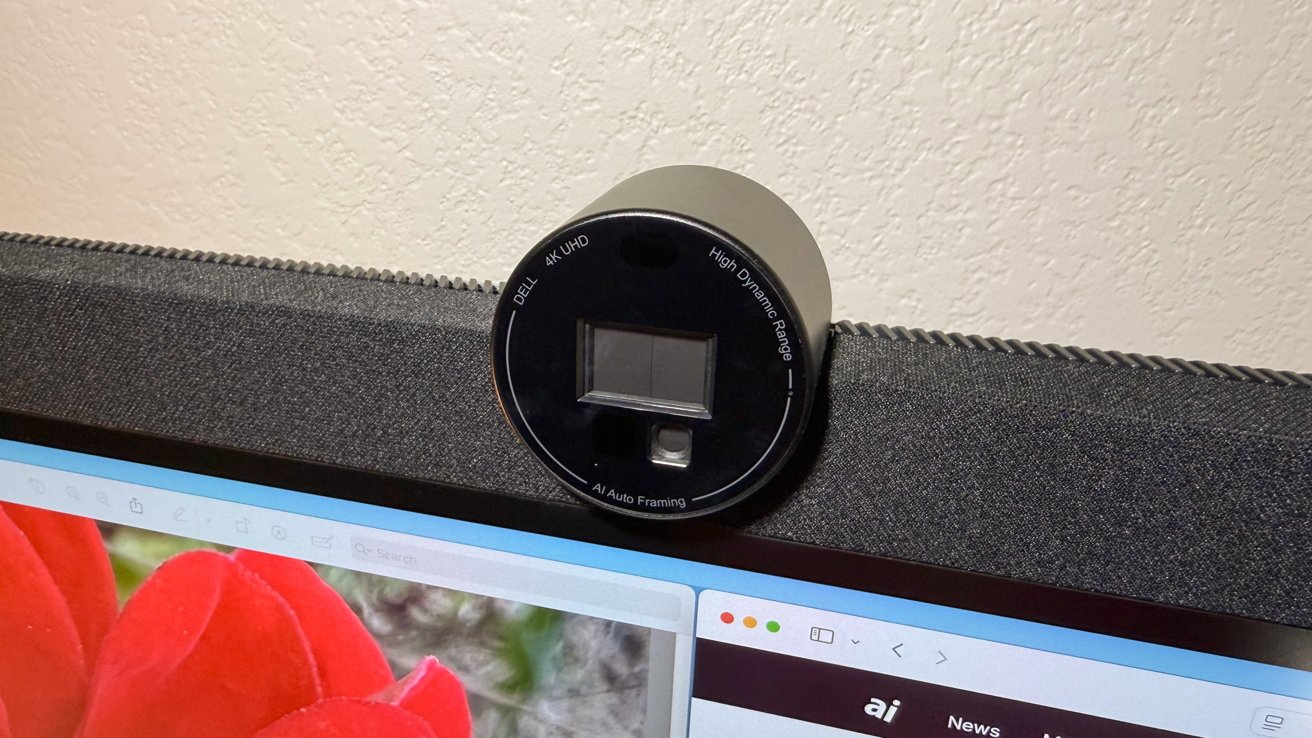
Dell UltraSharp 32 6K review: A decent webcam, but with a massive hump.
The size of the camera also hints at its capabilities, which include a few Apple-esque tricks. Its processing, including “Digital Overlap HDR” and 3D and 2D video noise reduction, helps create a clearer image for others to see you.
There’s also AI Auto Framing 2.0, Dell’s take on Apple’s Center Stage system. It reframes the image so you stay centered, which is handy if you’re constantly moving around the room.
that’s okay. I recommend turning it off in the software.
For added privacy, there is a Safe Shutter that automatically turns the camera on and off at the touch of a button. At the very least, a physical barrier will help provide peace of mind if macOS protections don’t already work.
On the audio side, there are 14W stereo speakers as well as an array of two microphones for input. These microphones also have built-in noise and echo cancellation, a handy addition that works whether you’re using it with a Mac or Windows device.
The sound was fuller than most monitor speakers I’ve used. It won’t replace a real sound system or reference speakers, but it’s fine for gaming, casual media consumption, and so on.
And of course the Pro Display XDR has neither, which is fine. These tend to end up in production studios where neither is needed.
Dell UltraSharp 32 6K Review: Ports and Connectivity
When it comes to connecting a display to your Mac, you have several options. There’s standard HDMI with HDCP 2.2 and DisplayPort 2.1, again with HDCP 2.2 as the main option.
However, Mac users should use Thunderbolt as an upstream connection. It processes the data for the USB hub and also the DisplayPort 1.4 for the video signal.
There is also a second Thunderbolt 4 connection that can also be used for daisy-chaining with other Thunderbolt devices. Both Thunderbolt connections deliver up to 140W upstream, 15W downstream.
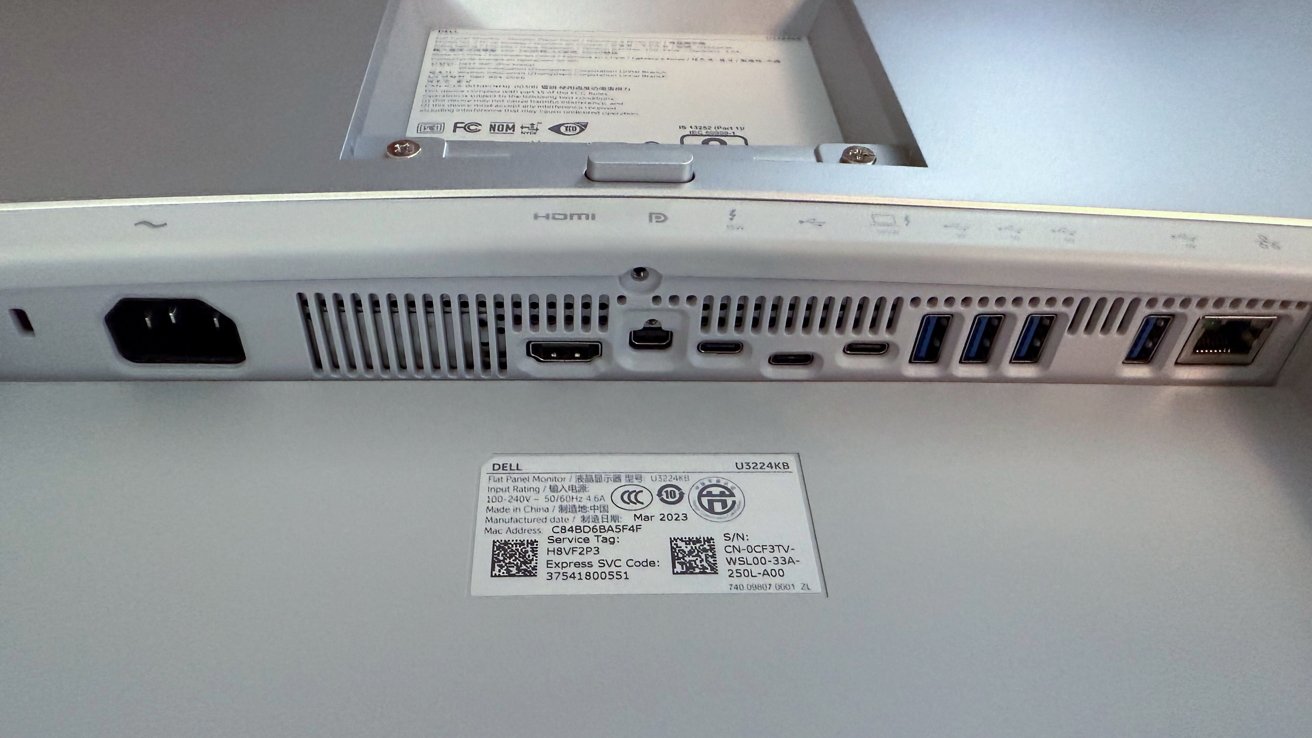
Dell UltraSharp 32 6K review: Choosing rear ports
On display are additional downstream USB-C 3.2 Gen 2 ports, each with a power of 15 W, a quartet of USB 3.2 Gen 2 connections and one more USB 3.2 Gen 2 with battery charging 1.2.
Most of them are on the back, but there’s also a pop-up segment accessible from the front that houses some of the ports. Rounding out the connectivity list is a 2.5Gbps Ethernet connection that can certainly help a connected MacBook Pro online if it’s a host.
Dell has apparently gone the route of turning the monitor into an actual dock or hub. That saves the user about $200 for an equivalent dock if that’s your jam.
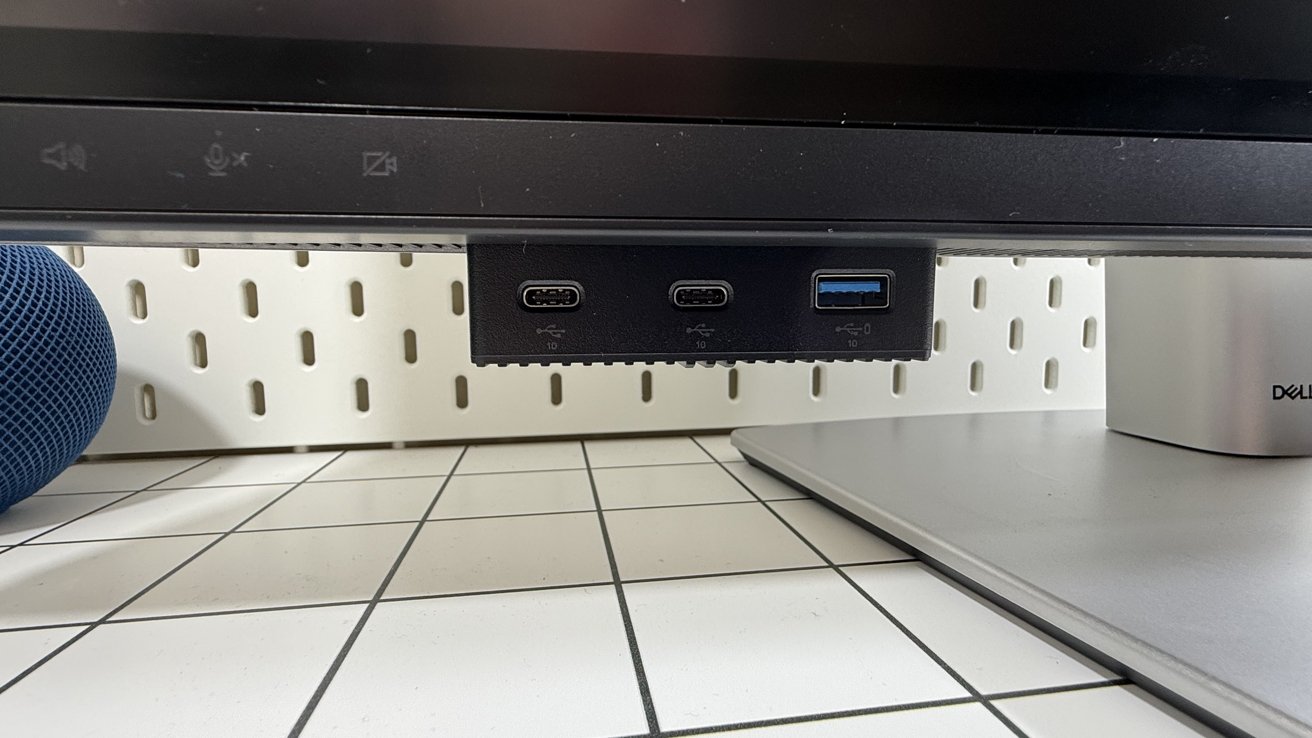
Dell UltraSharp 32 6K Monitor Review: Sliding Door With Front-Facing Ports
Because you can connect multiple video sources to the monitor, there’s also a nifty built-in KVM feature so you can use the same keyboard and mouse on multiple hosts. For advanced users who are the intended audience for this display, this is a very useful feature.
In my experience with wired keyboards, it worked pretty well. Fun fact – you can use Lightning or USB-C cables with Apple keyboards to power them up and use them with any KVM if you want.
Dell UltraSharp 32 6K review: Productive without the price Pro Display XDR
There are people who only have a Mac environment, and there are people who live in a Mac and PC world. I’m the other one.
Of course, the Dell UltraSharp 32 6K monitor has the same resolution as the Apple Pro Display XDR. It’s about the same size.
But after that, he becomes a completely different animal.
It’s a screen that doesn’t care too much about aesthetics in design and screams productivity. Sure, it can show you a good high definition image, but its heart is to get things done, not image perfection.
A massive webcam hump is not for everyone, not for me. But I can’t deny its usefulness.
The same goes for the speakers and microphone, as not everyone wants to use separate audio.
A wide and varied selection of ports with KVM and neatly hidden front ports also play a role in productivity. Add an ethernet port and multi-host connectivity and it’s a piece of cake for those who value work.
Pro Display XDR is the best choice for those who absolutely need the best possible image for a creative project. For everyone else who wants to work with lots of pixels, a decent webcam, and save some money, the Dell UltraSharp 32 6K monitor is a pretty good choice.
Oh, and make sure your workspace is well ventilated. This monitor throws many heat into your workspace.
Professional Dell UltraSharp 32 6K
- 6K resolution
- Port selection using Thunderbolt 4 connection
- KVM and Ethernet
- Webcam with automatic shutter reframing
Dell UltraSharp 32 6K Cons
- High (retail) price, so watch for renovations and sales
- Disturbing camera front
Rating: 4 out of 5
My first desktop LCD on my 1.1 Mac Pro was a 20-inch Dell that I got about two decades ago for about $350. I thought I had all the workspace in the world on a thin panel that took up far less space on my desk than my 20-inch ColorSync display.
As a bonus, there was no platform for my cats to beat the screen from above, the cursor moved when they were insulted.
It was where I first turned my office into a “bunker”. Between that and KVM Dr. Bott I had PC, xBox and Mac all on one desk.
Pro Display XDR and Studio Display can’t, but Dell U3224KB can, cheaper than Pro Display XDR. When comparing retail prices, this is more expensive than the Studio Display at full retail, but less when the Dell display is on sale. For that price difference, I can forgive a lot of design sins.
How much cross-platform compatibility matters is up to you.
Where to buy Dell UltraSharp 32 6K
The Dell UltraSharp 32 6K is available direct from Dell for $2,814.99. It is also available on Amazon for $2,399.
Watch for sales at Dell Refurbished Stores. I’ve seen it for as little as $1,500 with coupons the past two years.