
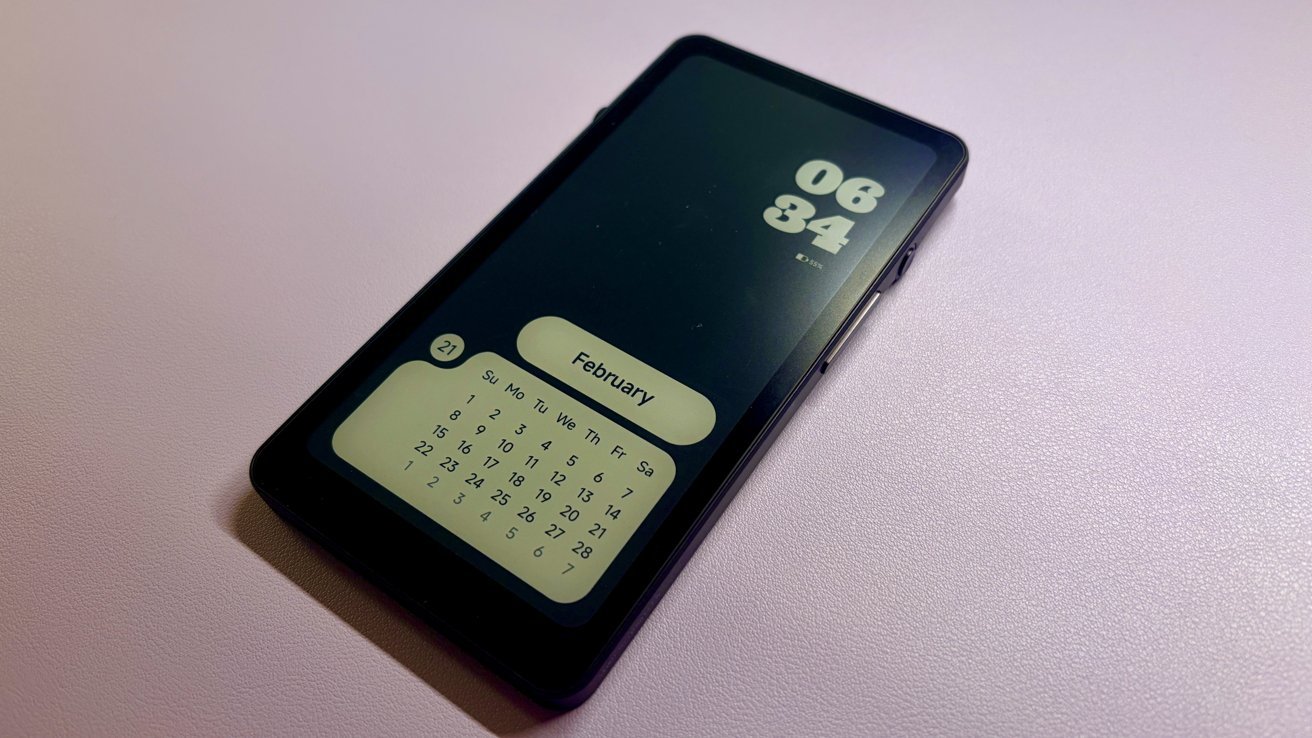
The Durobo Krono limits the e-reader to its pocket essentials, but its lack of polish and questionable functionality keep it from competing with more sophisticated rivals.
Reading on the go is always a bit of a pain. You either do it on a smartphone, which isn’t great for your eyes, or you can try lugging around an iPad or a larger e-reader like a Kindle.
This is why there is a surprisingly large fan base for pocket e-readers. I even consider myself part of that fan base, given how much I enjoyed it myself.
When Durobo reached out and asked if I wanted to check out their palm-sized Krono e-ink reader, I couldn’t resist. I wanted to see how it compared to others I’ve tried.
Durobo Krono e-reader review: Pint size
As with all pocket-sized e-readers, this device’s biggest selling point is its small size. And it’s pretty small – it’s comparable to most standard-sized smartphones like the iPhone 17.
The Krono is small enough to slip into a bag or back pocket, which is nice. It’s a modest 6.06″ x 3.15″ x 0.35″.
The weight is also quite light – about 173 grams, just over six ounces. Even though it’s so light, it doesn’t feel particularly flimsy or cheap.
Durobo Krono e-ink e-reader review: Reading is actually quite comfortable
It features a 6.13″ HD Carta 1200 display — black and white only — which is the same as its direct competitor, the Boox Palma. If you’re comfortable reading on a smartphone, it shouldn’t be too different — and the 300ppi resolution certainly doesn’t hurt.
It also has a dual-tone front light, which is great if you’re like me and read a lot in bed. I love to turn the light up to the warmest setting and then read until I fall asleep.
Durobo Krono e-reader review: Free wheelin’
Perhaps the most interesting part of the Krono is the small wheel on the left side of the device. This is the Krono Smart Dial.
It feels like the Digital Crown on the Apple Watch, or maybe to a lesser extent the AirPods Max. I like its inclusion, although I’m not sure the execution is quite there.
As far as I can tell, there is no way to change what the watch face does. So by default:
- One press to refresh the screen
- Double tap to open the AI assistant
- Press and hold to open the voice memo menu
- Turning the dial adjusts the screen brightness if –
- —You recently pressed the volume button, then control the volume, or—
- You are on a scrollable page, and the page controls the scrolling
There are things I like about the setup. The ability to refresh the screen, especially if I’ve been reading for a while, is truly fantastic.
Double tapping to bring up the AI assistant also makes sense. There’s almost no chance you’ll trigger it by accident, which is nice.
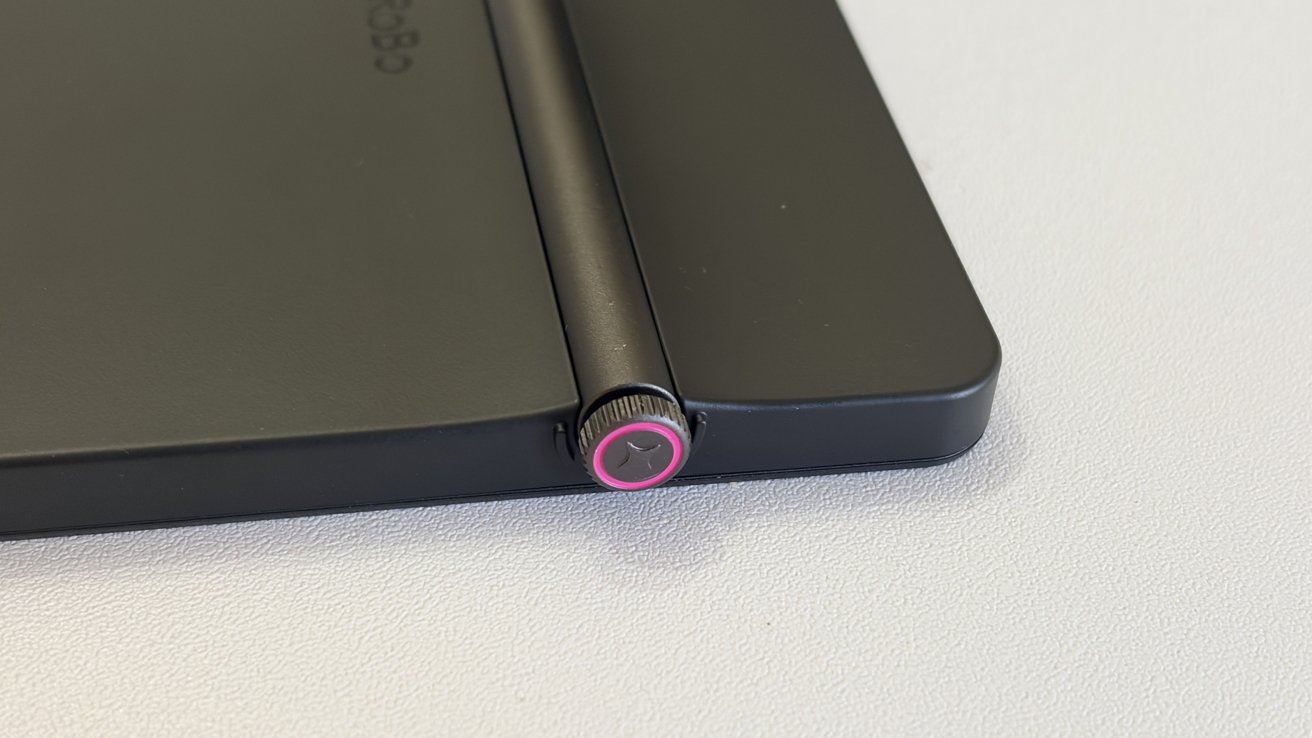
Durobo Krono e-ink e-reader review: Smart dial is a great idea, a little less cool in practice
I really don’t understand why there is some level of contextual logic behind turning the dial itself. The volume button is already cradled and can easily be accessed with your thumb or fingers, depending on which hand you hold it.
But I like that you can use it to scroll while reading. In fact, I found it to be a much more pleasant experience in terms of page navigation than the typical page-turning style e-reader experience.
Durobo Krono e-reader review: Under the hood
Let’s get to what Krono works with specifically.
Inside we find an octa-core processor with 6GB of RAM and 128GB of storage. It runs Android 15, which I deeply appreciate as there should be decent support for a while.
You can charge it via USB-C, it has Wi-Fi connectivity and it has Bluetooth. No surprises yet either.
The 3,950mAh battery will last you at least a week if you use it for reading – probably more. Of course, if you start using it to listen to audiobooks or make a lot of recordings, it will decrease quite a bit.
It can open the full list of file formats you’d expect from an e-reader, including EPUB, EPUB3, AZW3, MOBI, PDF, TXT, DOC, and DOCX. It has image support for PNG, JPG, BMP and TIFF.
Audio support includes WAV and MP3, but let’s go into a little more detail.
Durobo Krono e-reader review: Best seen, not heard
I have yet to come across an e-paper device that has a decent microphone or speaker. This trend continues at Krono as well.
In fact, the sound in the Krono is, quite frankly, terrible.
This wouldn’t be a problem if Durobo hadn’t positioned the entire device as a replacement for an audio recorder. I’m not entirely sure why, though, because smartphones already have fantastic built-in microphones and speakers.
Not to mention I’m not entirely sure how often the average person records voice memos. I know I personally never record any voice memos unless I’m testing a device like this – but to each their own I suppose.
Either way, if you plan to listen to audiobooks, make sure you have Bluetooth headphones ready.
Durobo Krono e-reader review: Stripped way, way way down
If you were to ask me what the Krono’s defining feature is, it wouldn’t surprisingly be the little navigation wheel. That would be how completely barebones this little e-reader is.
Maybe it’s because I’m used to Boox devices, or maybe it’s because I’ve been using smartphones since 2014, but this is a strange experience. Notice I said strange, not wrong.
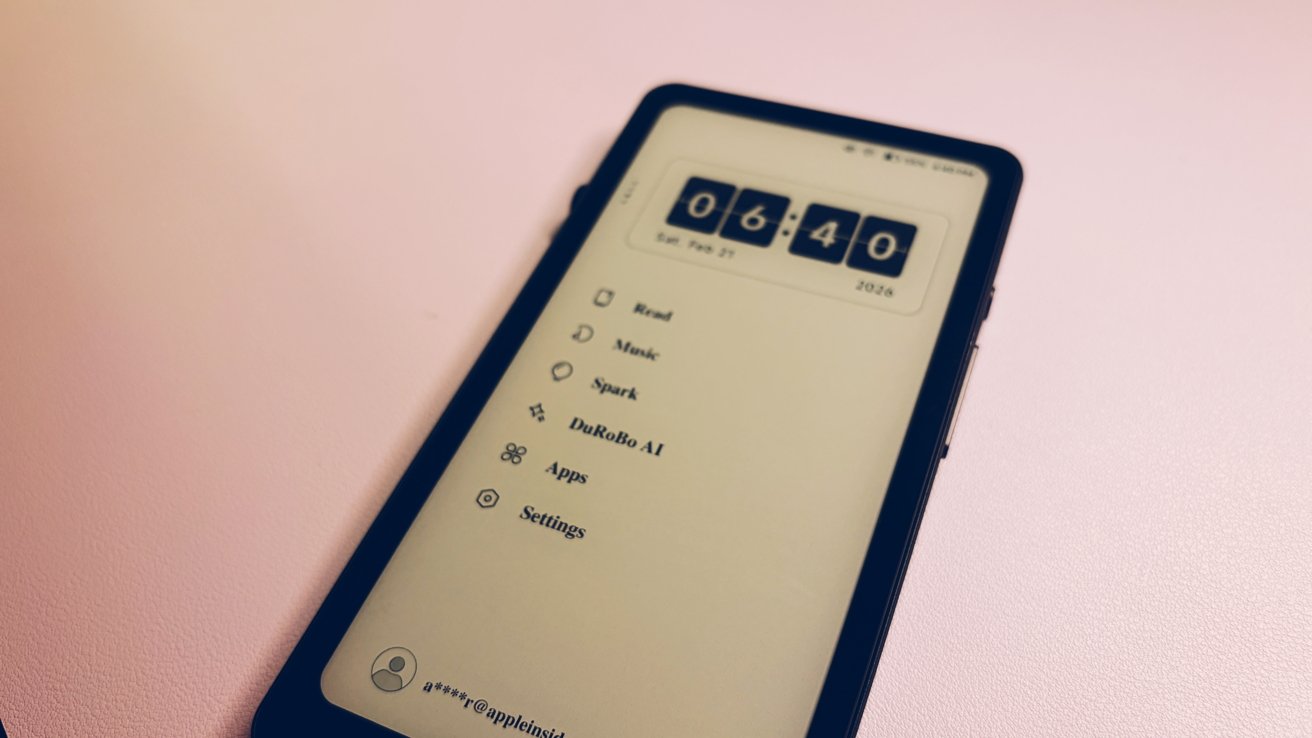
Durobo Krono e-ink e-reader review: The ultimate WYSIWYG device – this is your home screen, nothing more, nothing less
Krono isn’t trying to compete with your smartphone. There’s no email, there’s no browser – really is just designed as an e-reader.
And he really excels at it. Like an e-ink reader that you can put in your bag or back pocket.
If you’re hoping to bridge the gap between a book and a smartphone, this isn’t it. If you’re looking for productivity, you’re looking for Boox.
Specifically, you’re looking for a Boox device, which is probably also bigger than a Palma. In that case, I would recommend the Boox Tab Mini.
I have considerable hesitation in recommending it over Palma. First, they are now the same price.
At $275, the Palma feels miles ahead of the Krone. It’s not a bad e-reader, but Boox has been in the game long enough that its devices have a level of polish that Krono doesn’t yet have.
The second is the gloss level. I have a special place in my heart for the Palm, not because it was the first, but because I really think it’s the best palm-sized e-reader I’ve seen yet.
Boox includes enough on the Palm that it feels like a smartphone next to it without the same distracting field as the iPhone. If you spend a lot of time reading text-heavy websites, Palma works right out of the box.
And yes, you can get browsers for Krono. You can get a lot of apps for Krono — you have access to the Google Play Store.
But it’s also not quite there yet.
Durobo Krono e-reader review: The AI problem
Would this really be one of my reviews if I didn’t address AI? Probably not.
Again, we have a solid device that hasn’t been improved by the addition of an AI assistant.
The AI in-flight assistant is, to put it mildly, rough. He doesn’t even seem to know what his job is.
When I first asked him what it could do, he happily told me it could remind me of things or even code for me. Reminding things is fine, although there isn’t really a built-in reminder app or anything, so I’m not sure how useful that is.
The latter is particularly confusing. I’m not entirely sure how I would get the code back from Krono – it’s not like the AI assistant automatically syncs over the cloud like ChatGPT.
Since the update, it doesn’t seem all that keen to offer the ability to encode – even though it easily hints that it can. He still offers to draft emails or poetry or help you come up with slogans for your product.
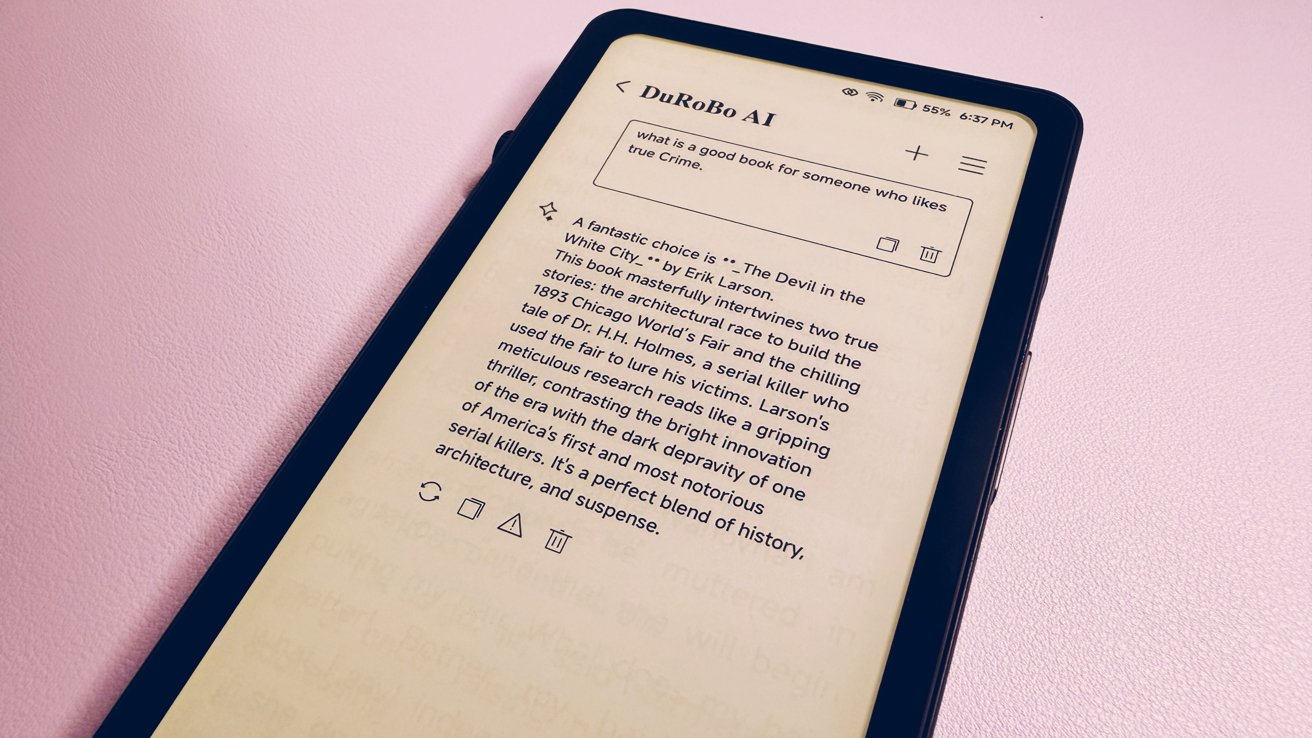
Durobo Krono e-ink e-reader review: Not particularly quick with questions
When you ask him for something he should be able to do, the response time takes forever. I asked him for a recommendation for someone who likes true crime and the turnaround took almost a full minute.
Not every query takes this long, but none of them are particularly fast. And again, because of how it’s set up, I’m not able to transfer that information easily.
I will say that the only thing I can credit Durobo with is that the AI features are extremely optional. If you don’t actively seek them out, they won’t get in your way.
But if I was buying a device for I would be very disappointed with the AI features. Take it as you will.
Durobo Krono e-reader review: Not ready for prime time
I hate Krono, but I also don’t know exactly who it is for. It’s stuck in the weird middle of trying to directly compete with the Boox Palma while also trying to be minimalistic.
I think Durobo would do well to choose one of these two converging paths forward. Removing the AI assistant from future devices could go a long way.
In fact, I’d argue that a better competitor for the Krono would be the Kindle Paperwhite. Right now, the Palma and Viwoods Reader are the only palm-sized e-readers readily available, and there’s definitely room in the market to be lighter and read first.
So while I don’t love Krono yet, I still think it’s going in the right direction.
Durobo Krono professional e-readers
- It runs on Android 15
- Perfect size to take anywhere
- The smart dial is ideal for long readings
- Two-tone front light
Disadvantages of the Durobo Krono e-reader
- The smart dial cannot be customized
- The AI assistant seems completely useless
- Too stripped down for the price
- Poor recording quality
- Poor speaker quality
Durobo Krono E-Reader Rating: 2 out of 5
Where to buy:
If you are interested in purchasing the Durobo Krono e-reader, you can get it on Krono’s website for $279.