
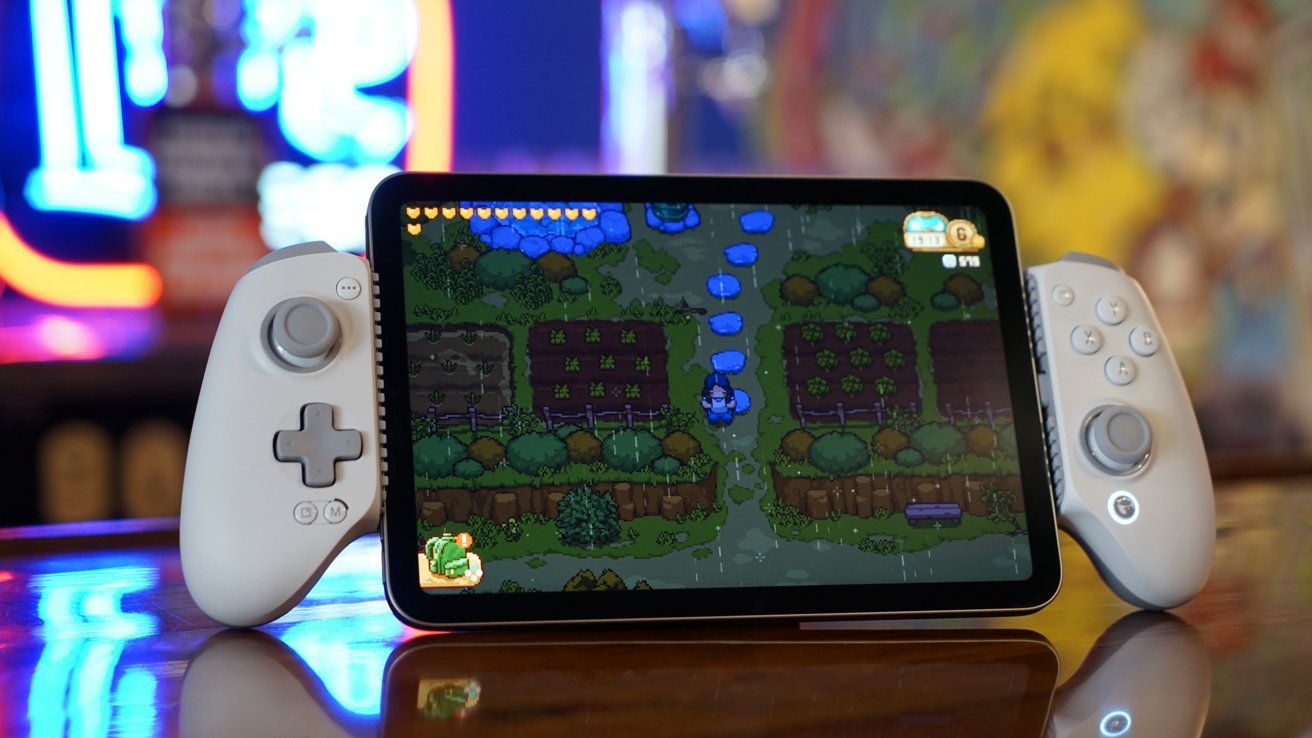
The first GameSir G8 was an affordable throwback to iPhone grip controllers, and while its successor doesn’t have any distinctive bells and whistles, it gains Apple certification and iPad mini support.
Not every product has to wow us with some revolutionary new feature or concept. Game controllers have found a fairly mature place in terms of design, so there’s no need to rock the boat.
The GameSir G8 Plus is an MFi-certified controller with a USB-C connector, rumble support, programmable buttons and customization options. It closely resembles the GameSir G8 Galileo it replaces, but has some notable improvements.
I’ve been testing these kinds of controllers for a few years now, and some design trends have emerged. Some try to go above and beyond — I appreciate GameSir finding a happy medium.
GameSir G8 Plus Review: Design
Like the original, the G8 Plus features a large pair of textured grips, interchangeable faceplates, and conventional face buttons. The ABXY buttons can be removed and replaced to suit the layout the user desires.
GameSir G8 Plus Review: The large textured grips are ergonomic compared to other tiny controllers
Unlike some other controllers I’ve tested, the D-pad isn’t replaceable, but it’s good in terms of size and tactile feedback. Both analog sticks are interchangeable and the GameSir included three alternative options in the box.
There is a GameSir button that would theoretically launch the GameSir app or be programmable to open Apple Games, but it doesn’t work in the current firmware. I am using version 8909.
The controller has option buttons and menus that gamers my age might call Start and Select. Then there’s also the mode dial and shutter button in the lower left corner.
I like that there are swappable faceplates, but GameSir never really seems to commit to going beyond that in a random monochrome way. There are probably third party options or someone coming up with 3D printing models, but I haven’t seen any.
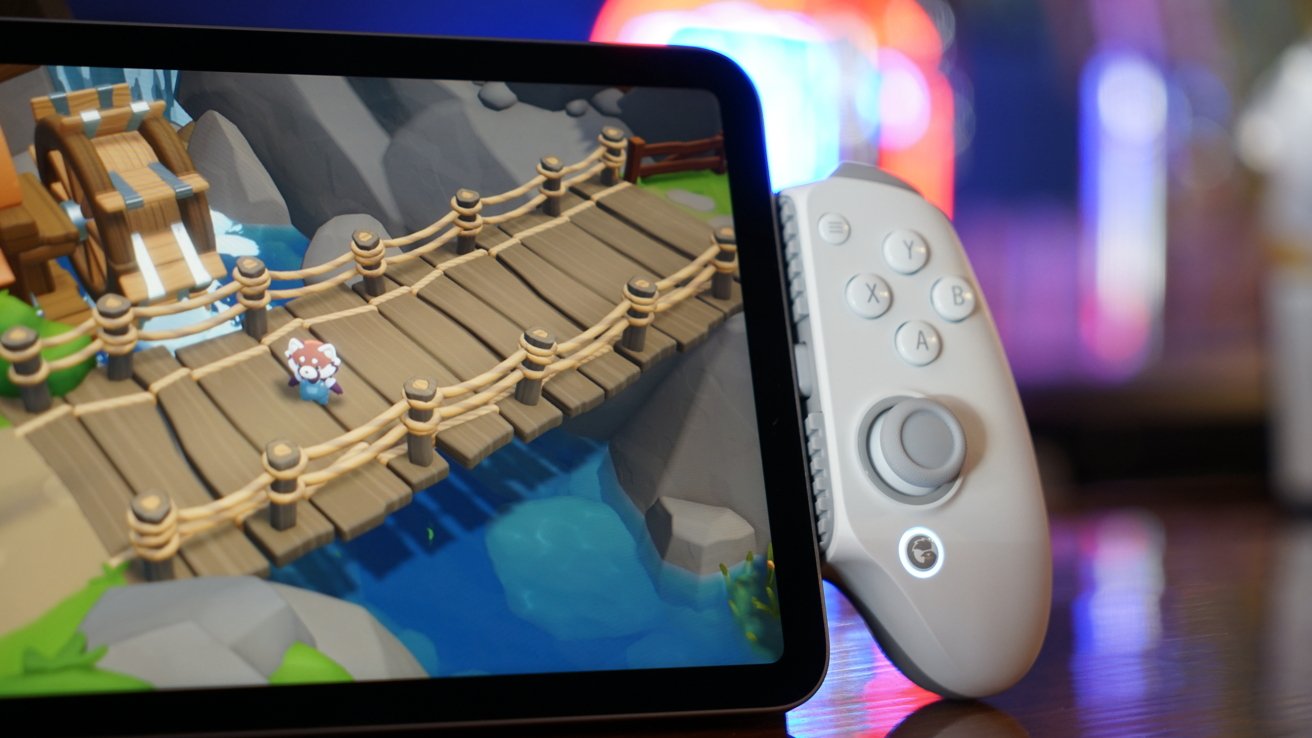
GameSir G8 Plus review: customize your face button layout
Since the face buttons can be changed, it would be nice to replace them with other options. Even GameSir supplies different colored buttons which would be great as separate purchases for further customization.
The USB-C connector is movable, but because it doesn’t have any extra length, it means some cases won’t work with the GameSir G8 Plus. Thicker cases will also cause problems when trying to line up the iPhone or iPad port with the connector.
The desktop also has this removable plate that slides out and opens for an iPhone or iPad. It seems likely that this is to provide room for a camera bump if needed.
GameSir G8 Plus Review: Features
The G8 Plus is exactly what its name suggests: it’s an original controller and then some. Users get MFi certification, the ability to connect an iPad mini, and improved customization options, but that’s about it.
Compared to the G8 Galileo and the Abxylute S9, there isn’t much difference on paper.
| Features | G8 Plus | G8 Galileo | Abxylute S9 |
|---|---|---|---|
| Compatibility | iphone, iPad, Android |
iphone, Android |
iphone, iPad, Android |
| Device length | 125mm to 215mm | 110mm to 185mm | Max: 216mm |
| Joysticks | Hall effect | Hall effect | Hall effect |
| Triggers | Hall analog effect | Hall analog effect | Hall analog effect |
| Built-in battery | No | No | Yes |
| Bluetooth | No | No | Yes, 5.3 |
| Vibration | Yes | No | Yes |
| Weight | 0.67 lbs | 0.56 pounds | 0.55 pounds |
| Price | $79.99 | $79.99 | $89.99 |
The Abxylute S9 has a similar style and layout, but is thinner and lighter overall. This makes it slightly less robust and substantial compared to the G8 Plus.
It weighs a little more thanks to premium construction and vibration motors. However, this helps add to the premium feel, and the weight isn’t enough of a detriment.
There’s no Bluetooth and you won’t be using the controller connected to other devices. It’s purpose-built for use on smartphones or small tablets, and that’s fine.
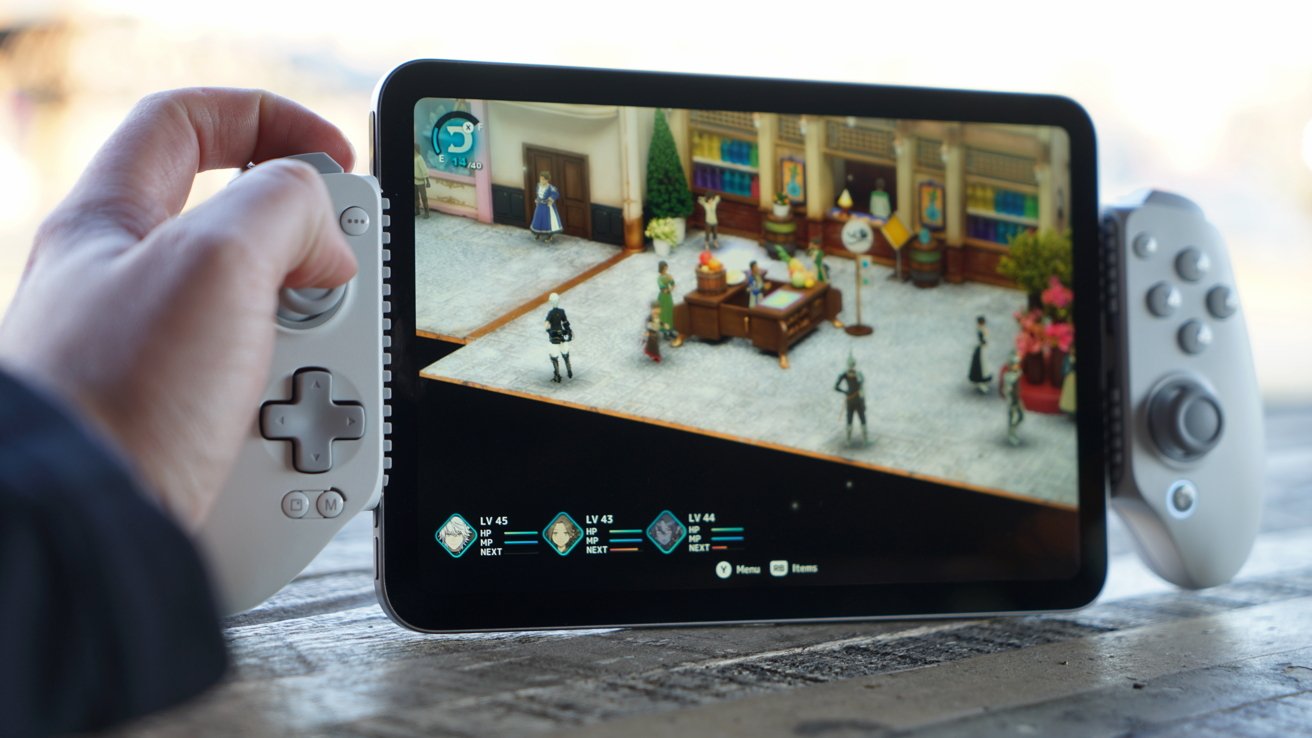
GameSir G8 Plus review: big screen gaming with iPad mini
The M button is mostly used when connecting to an Android device or PC, but on an iPhone it can switch to Switch button mapping by holding M and the button on the bottom. Hold M and trigger for 3 seconds to toggle hair trigger mode.
The back button mapping is similar. Hold the desired back button and the M button until the LED flashes, then press the button you want to map.
Using GameSir G8 Plus
The GameSir G8 Plus is a good controller grip that is ergonomic and comfortable to use. The buttons are well spaced and easy to reach.
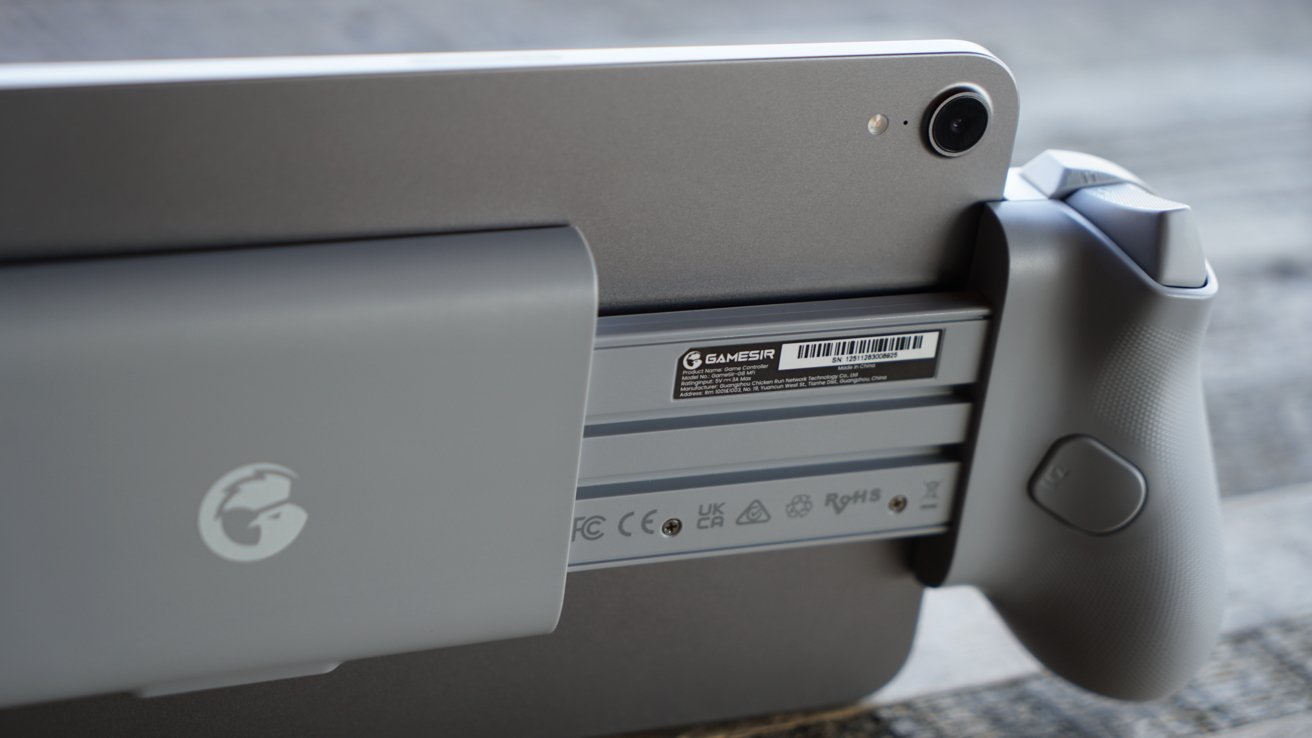
GameSir G8 Plus review: stretch to fit the iPad mini
I have no complaints about the controller itself. It feels premium and robust in the hand.
The app is a bit barebones, but I’d prefer that over having an exclusive social network.
My only major gripe is that the GameSir button is practically useless. I don’t know if I’m stupid or if it’s firmware related, but pressing it doesn’t do anything.
It should launch GameSir or Apple Games. It’s a very handy tool that’s built into the operating system, and it’s noticeable when it’s not there.
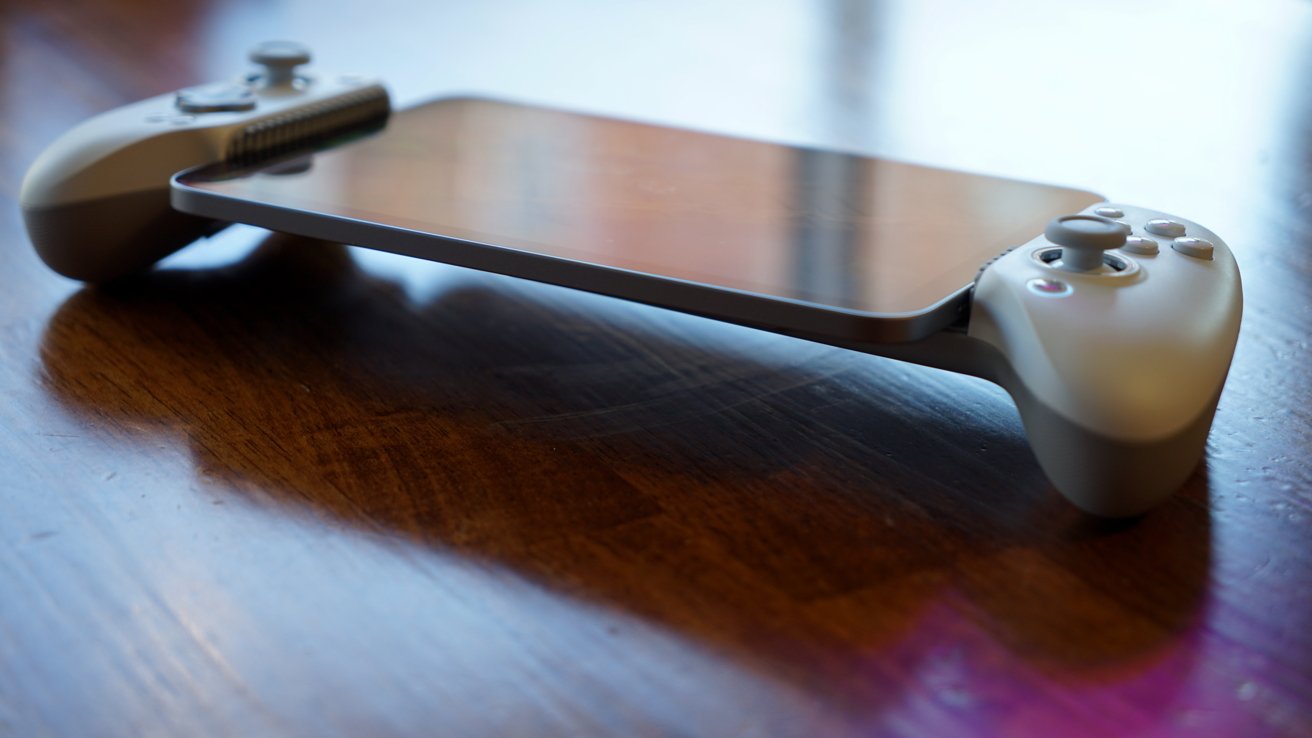
GameSir G8 Plus Review: The GameSir button does nothing at the moment
The driver is quite large even when the device is not inserted. Packing for travel or use on the go will not be the best.
It’s not so big that it can’t slip into a bag or jacket pocket. Just note that it is not travel compact.
The option of pass-through charging is nice. I’m waiting for the day when one of these controllers uses MagSafe to add a battery mount. I have this Kuxiu battery that has a USB-C cable that would work great in this case.
I have one final odd note that isn’t a controller issue, but Apple gaming in general. There are vibration motors in this controller and from the tests you can do they seem to be good.
However, iPhone or iPad games do not use them. I’ve looked through all the titles I’ve downloaded and none of them address the vibration motors of the controller.
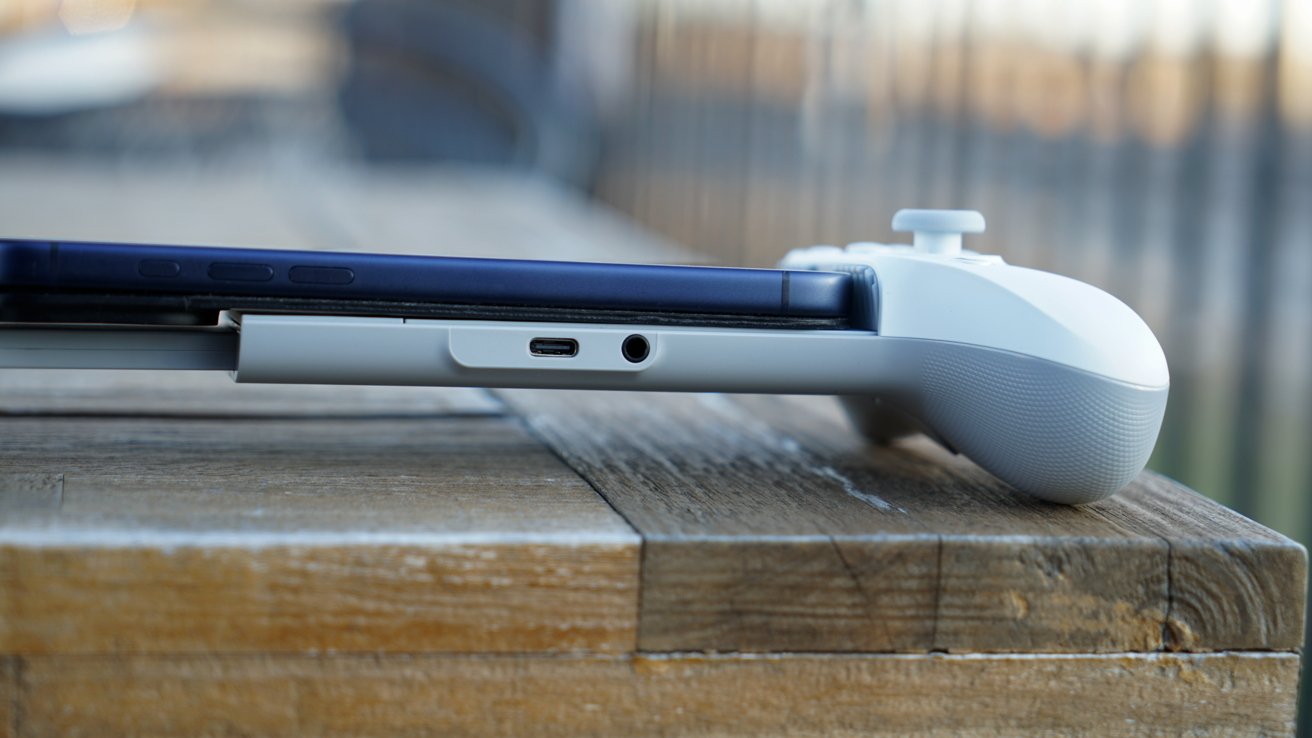
GameSir G8 Plus review: don’t worry about camera shocks
Resident Evil 4 it even has the option to vibrate but does nothing. I have no idea what is going on here.
It’s a shame because it’s nice to have. I hope games can implement this in the future.
Overall, I’m happy with this controller, its specs and design. The Abxylute may be the loser in terms of features, but the G8 Plus wins in terms of ergonomics.
MFi and customization in a controller that fits iPad mini
If you have a GameSir G8 Galileo and don’t own an iPad mini, there’s no reason to upgrade. However, if you have an iPad mini and want a premium controller at a competitive price, the GameSir G8 Plus is an excellent choice.
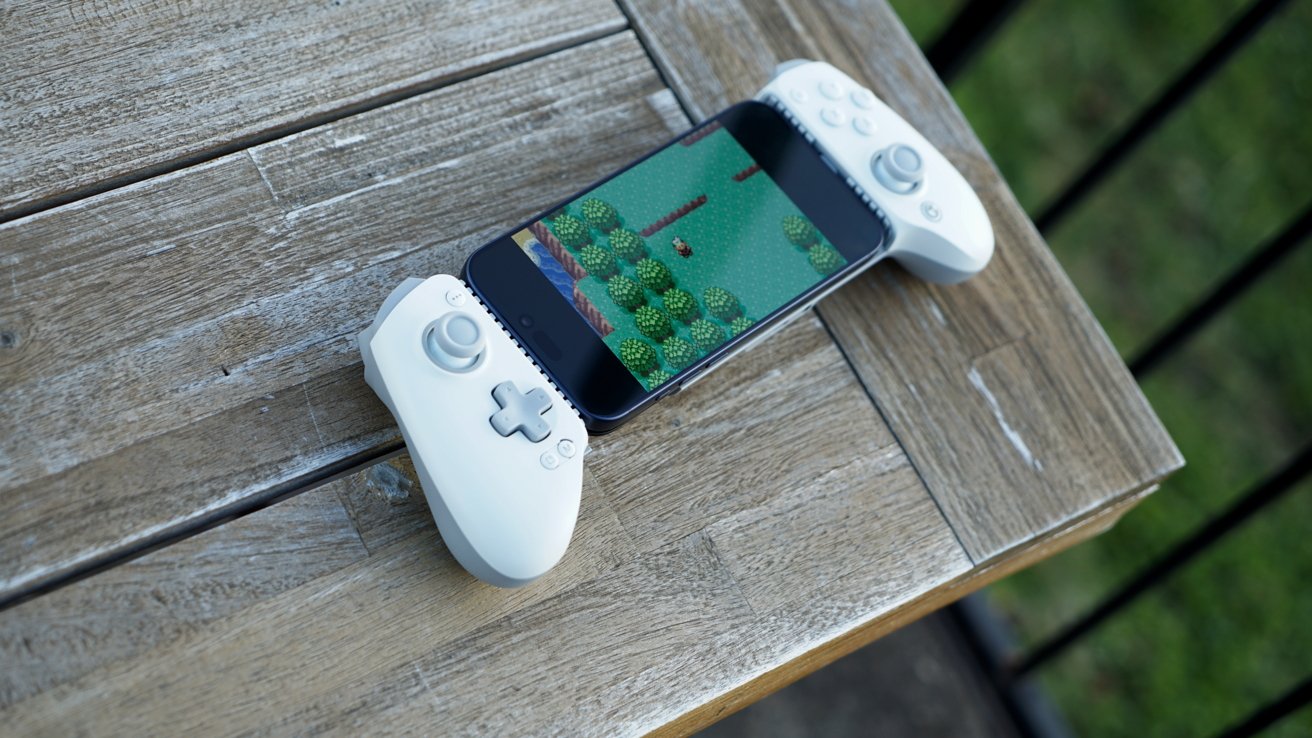
GameSir G8 Plus review: mobile gaming is great with the right controller
For those looking for a more affordable option with a minimum viable feature set, check out the GameSir X5 Lite. It is a great launcher that fits your iPhone and iPad mini.
For those with larger hands who want something a little more spread out, the GameSir G8 Plus is a good choice. I wish the games used the vibration motors that otherwise go to waste, and it would be nice if a firmware update fixed the GameSir button.
Otherwise, I can recommend this driver.
GameSir G8 Plus – Pros
- Ergonomically designed
- Interchangeable buttons and joysticks
- Hall triggers and joysticks
- Fits iPad mini and works with some iPhone cases
GameSir G8 Plus – Cons
- GameSir button not working
- D pad is not customizable
- Replaceable faceplates would be great if other purchase options were available
Rating: 4.0 out of 5
It’s a controller that works and is comfortable. If you’re keeping track, that’s lower than the G8 Galileo controller it replaces, if only because the upgrades were iterative.
Where to buy GameSir G8 Plus
The GameSir G8 Plus is available on the GameSir website for $79.99. It can also be purchased on Amazon for the same price.