
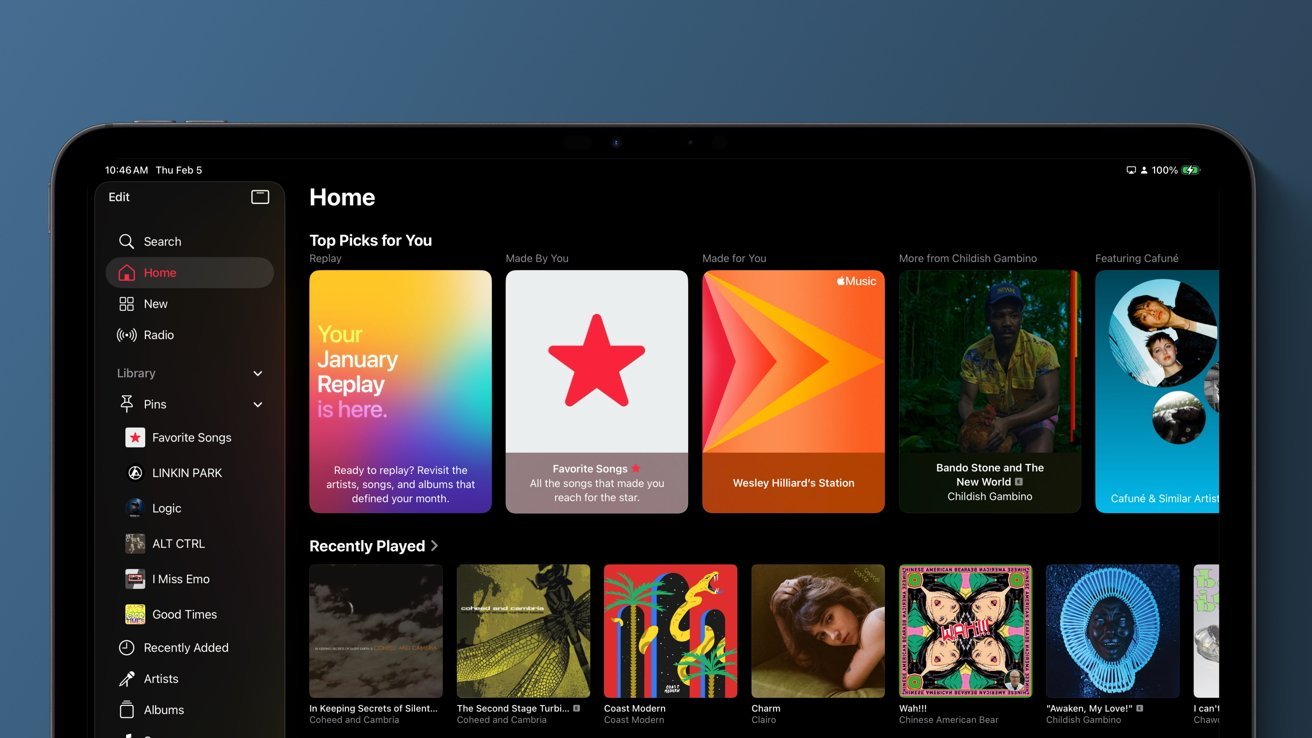
Users shouldn’t be afraid to explore music or let their kids pick a song, but because Apple Music lacks manual algorithm control, one wrong song can change your recommendations for weeks.
Apple Music is arguably the best choice for streaming music, especially for those committed to the Apple ecosystem. However, as good as the app and human curation aspects may be, there is a fatal flaw that requires users to either actively fight it or give up entirely.
It seems like this should be obvious to Apple’s development team, but we haven’t had the chance to fine-tune our algorithm year after year. If you dare to listen to a single Christmas song, video game soundtrack, or sleep playlist without first turning off the algorithm completely, your recommendations will be destroyed indefinitely.
Those who rely solely on human-made playlists and their library are not affected. But if, like me, you love Personal Station, Discovery Station, and weekly playlists like New Music Mix, you’ll find that they can be very easily affected by seemingly small decisions.
Those of you with kids have probably given up on managing your recommendation algorithm. While there are ways to keep things in check, especially with a child’s account in Family Sharing, once this happens to you on your Apple Music, it’s a highly manual process.
We need more than just a switch
As of February 6, 2026, you can manually toggle “Use listening history” stored deep in the Settings app to prevent whatever you’re about to listen to from influencing the algorithm.
You can also set device-by-device permissions on things like Apple TV and HomePod throughout the house to ensure that nothing others have access to affects your algorithm.
Households with multiple users also help by affecting the algorithm of the person who started the listening session, although this can be tricky if the device defaults to you by mistake.
Focus modes also let you toggle the Use listening history setting by focus, so turn it on for personal focus, where you’ll be listening to your favorite songs, and off for work, where you’ll be listening to instrumentals. It’s a useful tool once you remember it.
The problem with these controls is that they put all the burden on the user. The algorithm doesn’t care if you forgot to switch settings while your child listens for six hours You Gabba Gabba. The impact of that, unchecked, is a bit jarring.
A seemingly simple solution
What I’m hoping for, and have been asking for for years, is simple in-app switching. Let me long press or right click on the selection and say “do not follow”. This should work for songs, albums, playlists, radios, and entire genres.
We need a button that is a bit more aggressive than “Suggest less”
Training an algorithm is not difficult in itself. I have spent years trying different methods and they all seem to work in their own way.
Add a song to your library, favorite a song, album or artist and you’re sending clear signals that you like this music. Listening without adding still sends a signal, just weaker.
There is a thumbs down option, but overall it seems like a fairly weak option and doesn’t prevent a song or artist from appearing again. I would have liked a “never play drake again” button somewhere in the interface.
The power of Apple Music lies in the user’s ability to control their experience. You can add human-curated playlists that update automatically, collaborate on playlists with friends, and create playlist folders.
The Apple Music Replay feature is an annual update section that allows interesting metrics to be viewed and shared. It is updated every Friday throughout the year, as opposed to providing one report in November.
One random request from a teenager flips your weekly playlist
Users even have the option to connect Apple Music with third-party apps for unique listening experiences. MusicHarbor tracks new releases, while Albums prioritizes listening to full albums instead of singles.
The algorithm may be weaker than Spotify’s overall, but that may be the only downside to this competitor. Apple Music offers higher quality audio that is tuned for Apple hardware. Surround sound and lossless sound have an effect and users can turn them off if needed.
The reason I’m asking for this detailed control over the algorithm is because I want to listen to what I like without worrying about how it might affect my experience. We should be able to experiment with music without worrying about the algorithm.
Let me simply say “never recommend music from these genres, artists, albums or tracks” and that’s it. Blocking a bad referral should be table stakes for a streaming service.
Perhaps Apple’s focus on Apple Intelligence could provide the answer by giving users the ability to literally chat with the algorithm that controls their music. Even though we’ve had Apple Music for over a decade, the feature still hasn’t been created.
I still hold out hope.