
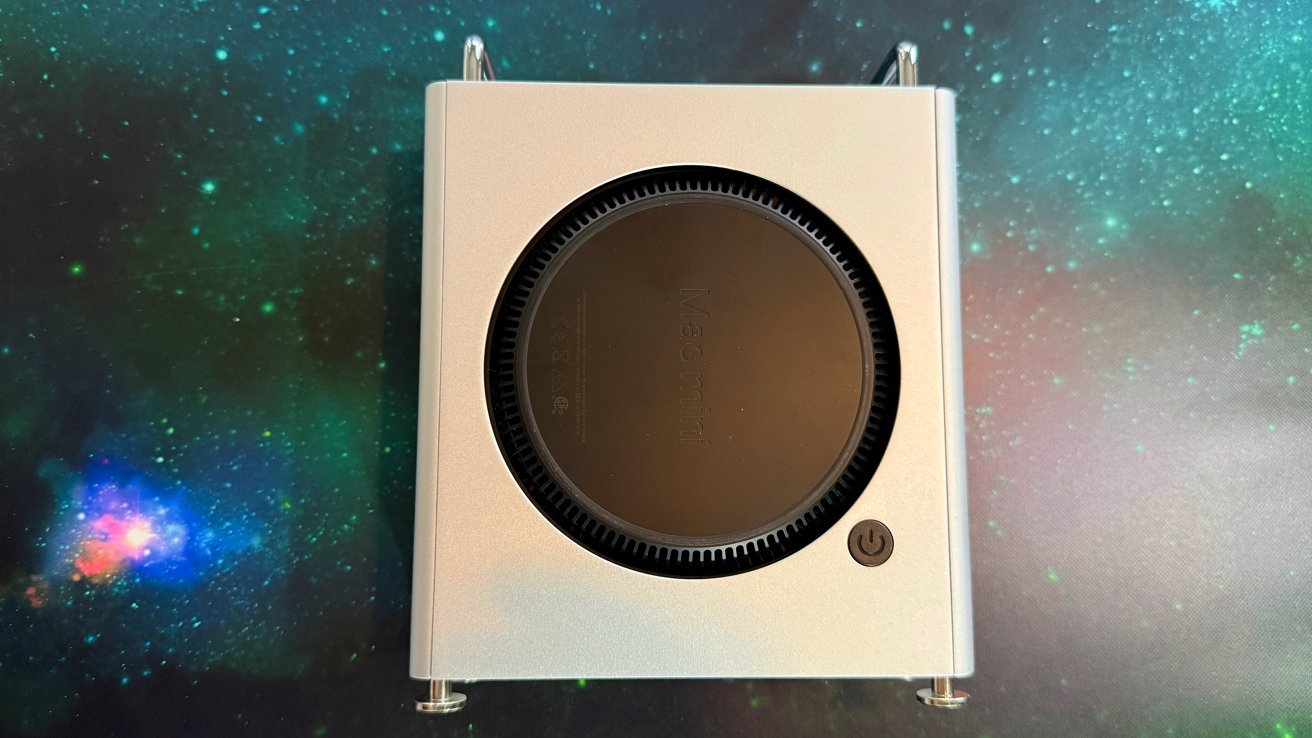
The Orico MiniPro Dock Case turns your Mac mini into a cute mini Mac Pro replica, but small dimensions aren’t the limiting factor.
The current generation Mac mini has become a favorite among cabinet designers because it can easily be placed in a cabinet and made to look like something else. Sometimes it can look like other retro computers, to great effect.
In the case of the Orico MiniPro Dock Case, the intention was to create something that borrowed its look from something historically associated with performance. The Orico MiniPro Dock Case is actually a case that turns the Mac mini into a Mac Pro cheese grater.
A Mac mini and such a cover will certainly be cheaper than the real thing. To Orico’s credit, the case is designed to be a bit more than decorative.
However, there is a lot of room for improvement.
Orico MiniPro Dock Case Review: Physical Design
As you might expect, the Orico MiniPro Dock looks a lot like a Mac Pro, albeit considerably scaled down. The front has openings vaguely reminiscent of the real thing, as well as a similar grille on the back, but with cut-outs that allow access to the Mac mini’s ports.
One side has a flat panel with Orico branding, while the other has a very large circular opening for the base of the Mac mini itself. This provides real ventilation for the Mac mini, while the grilles on the front and back are purely decorative.
Orico MiniPro Dock Case Review: Open Case
The aluminum cover also has a cleverly placed smaller opening so you can stick your finger through and turn on the Mac mini itself.
The Mac Pro aesthetic continues, with a pair of glossy handles on top, while the base has four circular feet.
Measuring 150mm x 180mm (5.9in x 7.1in) and 56mm (2.2in) thick, it’s an extremely compact tribute to the larger version.
It’s actually quite easy to slide the Mac mini into the case. A sliding button on the top unlocks the side covered with holes so you can insert the Mac mini and put the cover on.
The case includes some silicone lining in the corners to keep the Mac mini away from the aluminum case itself. It fits well, but if you’re patient you can pull the Mac mini out without too much trouble.
Orico MiniPro Dock Case Review: Connectivity
While you can access the original ports on the Mac mini itself, there are some more built into the case itself. On the front, there are slots for SD and TF 3.0 memory card readers, which are useful for photographers. However, the stated transfer rate of up to 100 megabytes is optimistic, as we got about 56 megabytes per second with a very fast SD card.
Around the back there are a pair of USB-A ports with a maximum speed of 10 Gbps and also a USB-C port.
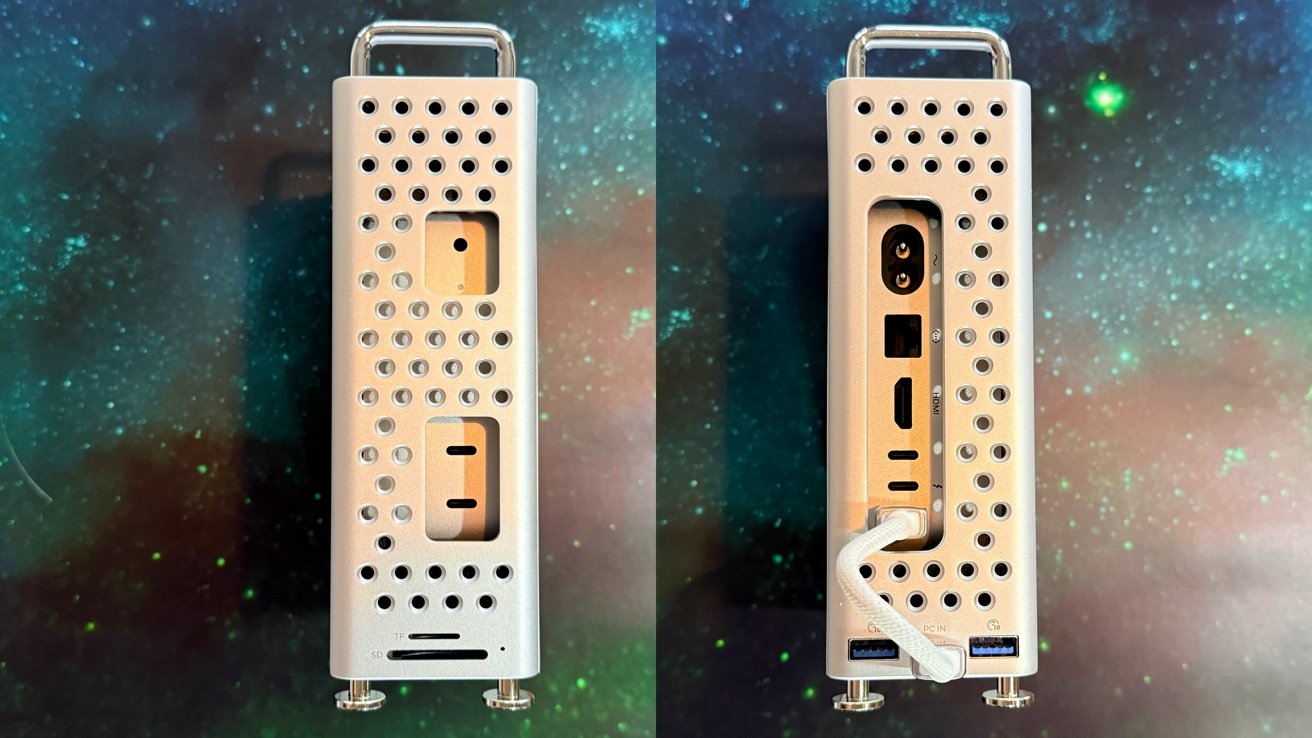
Orico MiniPro Dock Case Review: Front and Back Port Access.
This last USB-C port is used to connect the case to one of the Thunderbolt ports on the included Mac mini. A short data cable is included in the delivery.
You can optionally connect it to a nearby computer if you don’t want to actually use the Mac mini with it, making it a fairly large dock with minimal tools.
Orico MiniPro Dock Case Review: Storage and Speed Issues
On the bottom of the MiniPro Dock Case there is a space that can be used to place an M.2 NVMe drive. After removing the flap, you can insert a stick, which is accessed via the same USB-C connection as the other ports.
Case versions are also available with 512GB, 1TB or 2TB of built-in storage, but the storage cannot be changed for these versions. The DIY model holds up to 8 TB.
This makes the dock more useful because you now get a lot of storage that you can access on the Mac mini without needing a separate case.
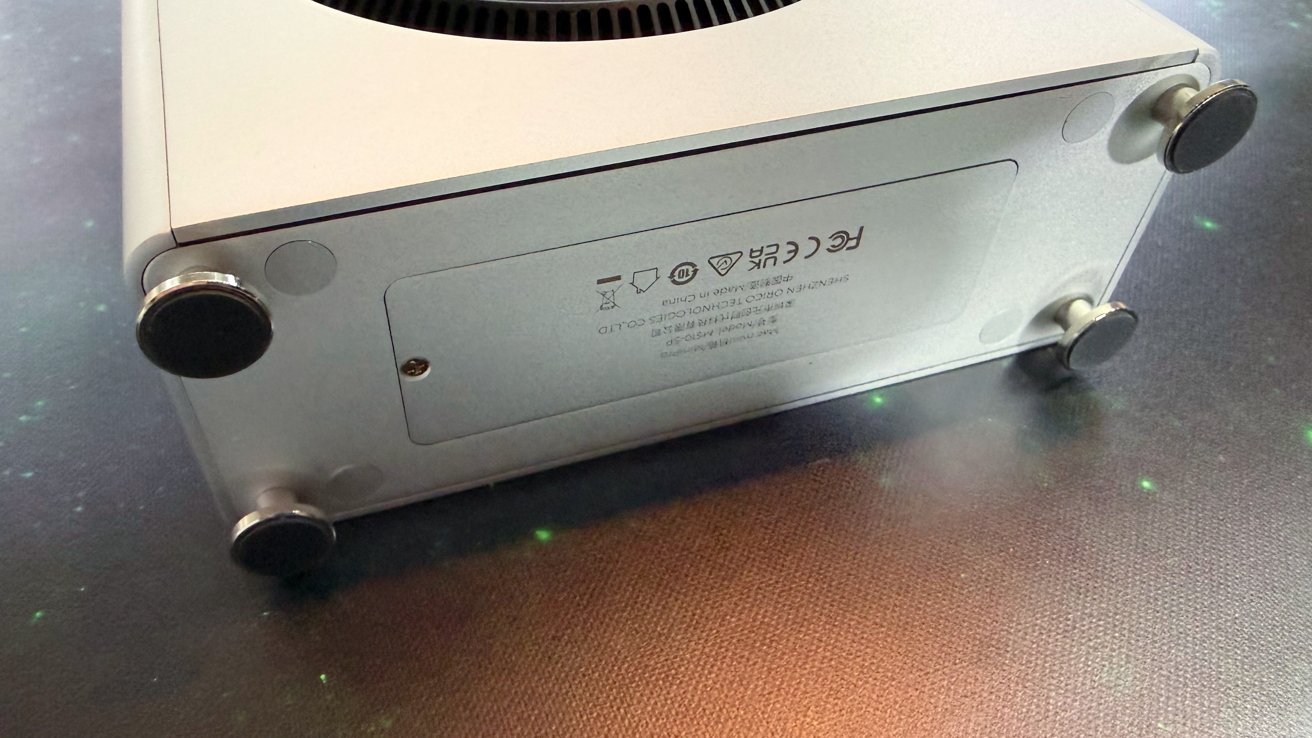
Orico MiniPro Dock Case Review: The base hides a hatch for installing M.2 NVMe storage.
However, the problem here is the actual connection to the Mac mini. It’s USB-C, running on top, 10Gbps total bandwidth.
The problem, as we’ve seen with other docks, is that using an external drive and many other connections with this little bandwidth can cause a performance problem. You can’t expect to get full bandwidth with storage if you’re also accessing other USB-connected drives.
That said, it’s more of a problem for people who need quick access to masses of data, such as content creators. Typical home users probably won’t run into the same kind of limitations as often, so this probably won’t be a big deal.
Orico MiniPro Dock Case Review: Fun, but could have been more Pro
Since the launch of the M4 Mac mini in a new design, the first in many years, there has been no shortage of docks, covers and other peripherals.
Some are good, some were pretty bad and hit Wi-Fi strength and speed.
I’m happy to report that this one doesn’t get in the way of wireless connectivity, just because of its thoughtful design. It’s more of a slow SSD enclosure than a docking station per se, but it does that, plus older fast enough ports and more.
Perhaps more importantly, it’s fun. It’s a small Mac Pro case that your Mac mini sticks into; it is portable enough as it is bus powered.
The only problem – and it’s a significant one – is the 10 gigabit speed from the dock. If speed isn’t an issue then it’s fine, but we’d really prefer the 40gbit or 80gbit version for more money, of course.
All told, I like it. For normal SSD use it will be fine. It just won’t deliver the blazing speed of the Thunderbolt port you’re giving up.
Professional Orico MiniPro Dock Case
- Cute Mac Pro mini-me
- Easily accessible power button
- Built-in storage options
Cons of the Orico MiniPro Dock Case
- Small selection of ports, but that’s mostly expected at this price point.
- Bandwidth is limited
Rating: 3.5 out of 5
Orica, please. Please supply the USB4 model of this dock. It’s not size that matters here, it’s speed.
Where to buy Orico MiniPro Dock Case
The Orico MiniPro Dock Case is available directly from Orico for $98.99 per DIY case, which is the model we recommend. The 1TB version costs $159.99, while the 2TB is $259.99.
It’s also available on Amazon, on sale for $103.99 for the DIY model, up to $269.99 for the 2TB.