
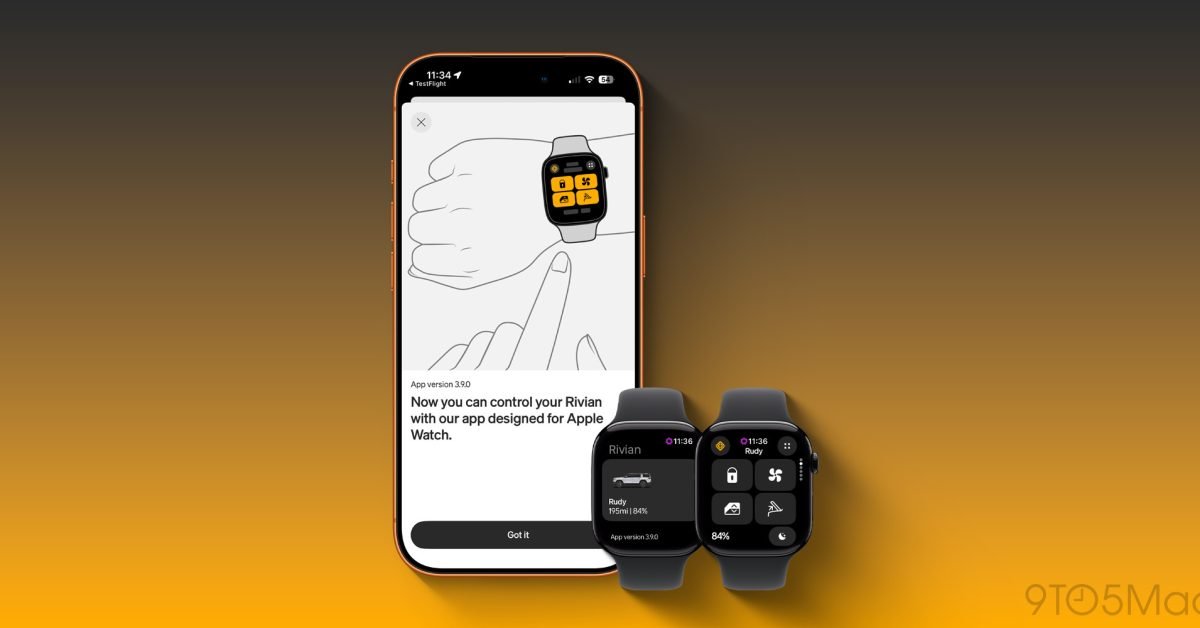
Just a few weeks after releasing the Rivian Digital Key update, which helped tremendously with proximity-based features, Rivian has doubled down and is launching a new dedicated Apple Watch app. The Apple Watch update was designed as an extension of the Rivian app for iPhone, giving you all the most used functions right on your wrist. It has customizable quick controls, clear vehicle status and support for digital key functions (depending on the generation of your vehicle). I got early access to the app, so here’s what you should know.
Rivian Apple Watch app
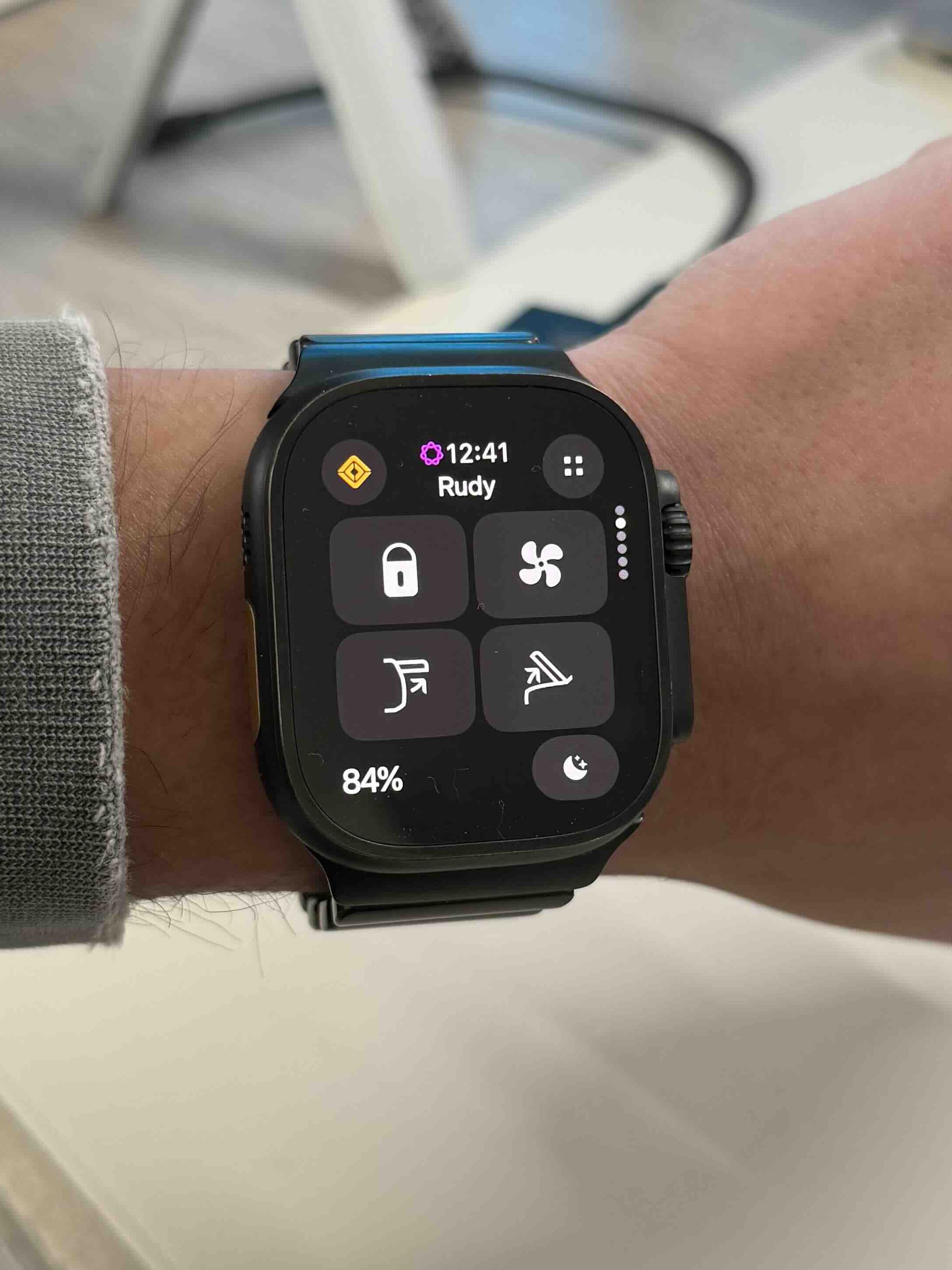
I was curious to see how Rivian would implement all of its digital controls into the much smaller display on the Apple Watch. The app provides access to several basic vehicle controls and has been nicely optimized for the smaller Apple Watch display. On the watch you can:
- Lock or unlock the door
- Wind windows
- Sound the alarm
- Adjust the cabin temperature
- Set the target state of charge using the Digital Crown
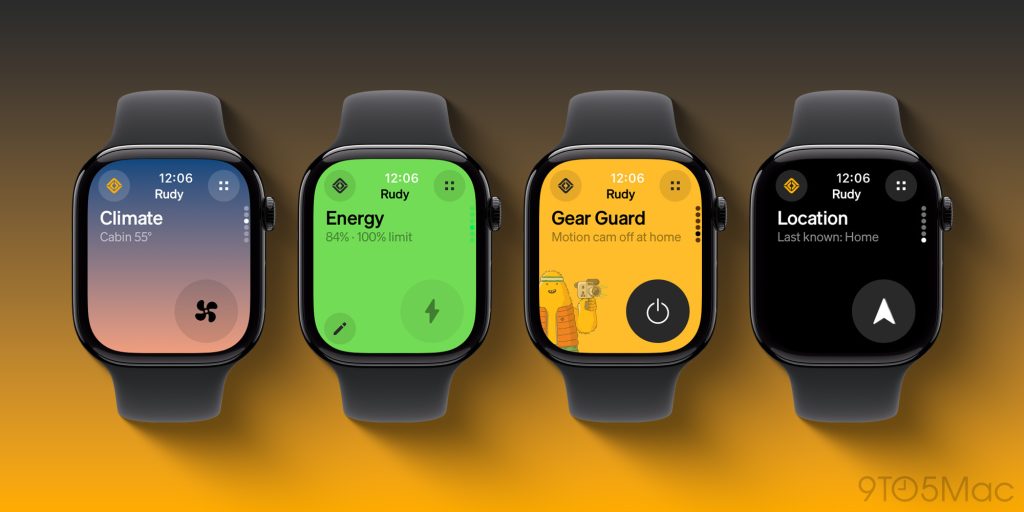
The app lets you customize up to four quick controls, so you can have quick access to your most used actions. The app also has dedicated pages for certain controls and features. You can use your digital crown to navigate between them. You get dedicated pages for climate control, battery and range information, Gear Guard access and Rivian location data. All of these elements mirror the iPhone app, so it’s easy to navigate and familiar to all Rivian owners.
My experience
As I mentioned earlier, I had early access to the Apple Watch update and got to see first-hand how it all works. The best part was that there was no new setup. All you have to do is update the Rivian iPhone app to the new version and the Rivian Apple Watch app will appear on your watch. As long as you were previously connected to your iPhone, your watch will be connected as well. Everything worked as intended. All the controls on the watch worked quickly, without any problems. Customizing the four main controls is also easy; just long press the control you want to replace and you can choose the desired control.
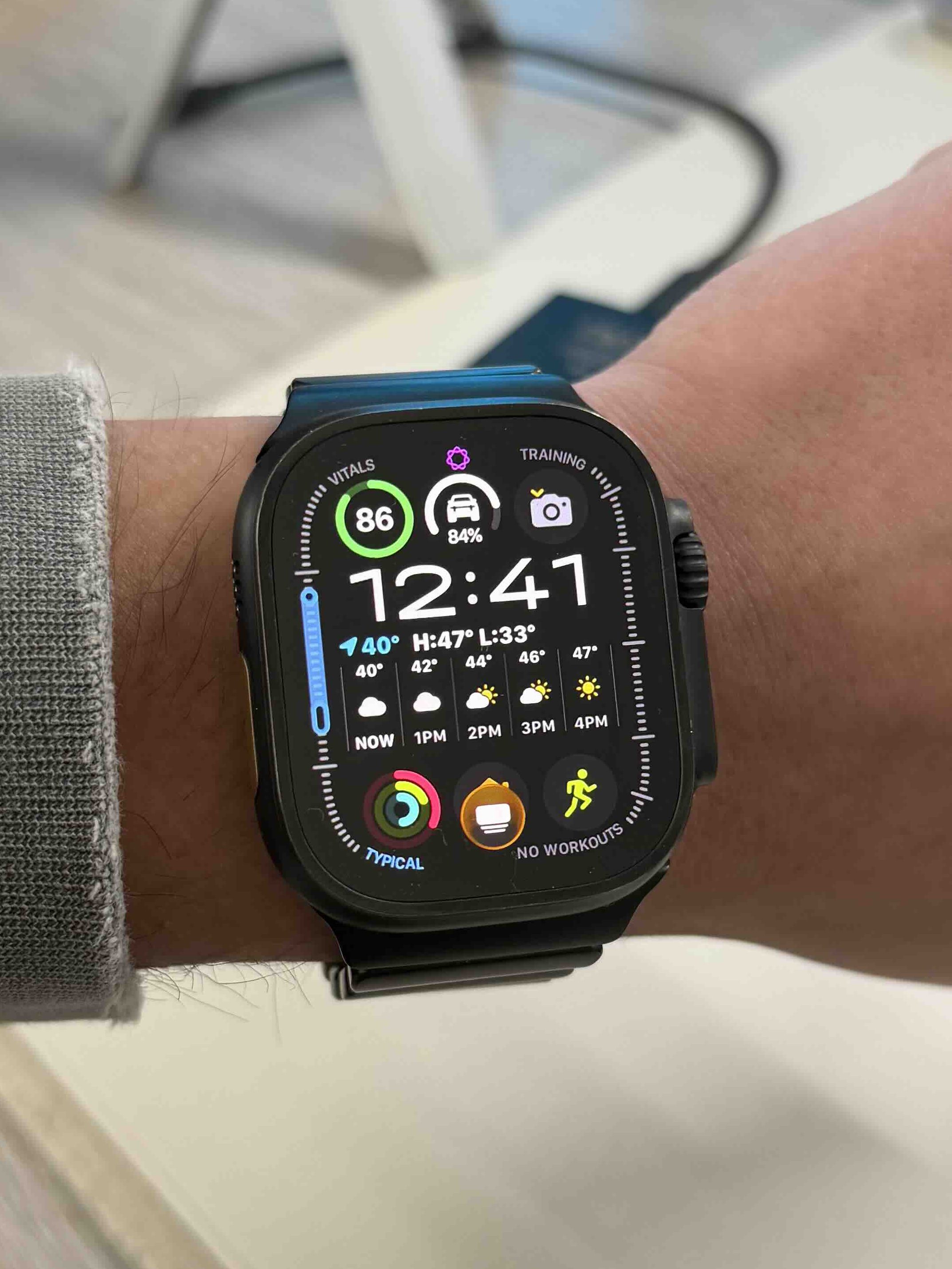
The best part for me was that they added an Apple Watch complication! So you can customize your complication to show your Rivian’s current battery status, and it also works as a shortcut. So, at a glance, I can see how much battery I have, and if I need to dive into an application, I just tap this complication. Very simple, easy and very useful. Also, knowing you can control your car from your wrist gives you peace of mind, especially if you’re like me and always forget your phone when you need to get something out of your car.
Digital key and entry experience
I want to note keyless entry and contactless entry. Vehicle access behavior depends on the Rivian generation. For Gen 1 vehicles, drivers can tap the lock icon in the app to unlock the vehicle and drive once the app is open. So it’s still possible to use just your Apple Watch as a great dongle. However, for Gen 2 vehicles, Rivian supports passive input. Once the digital key is configured, the vehicle automatically unlocks as the driver approaches, allowing for hands-free entry, similar to smartphone-based digital keys. I have a Gen 2 and the digital key experience really helps with keyless entry.
Availability and final thoughts
A new app update is now available. Just head to the app store, update the app, and the Apple Watch app will appear on your watch and you’re good to go. I think this is a great free added feature for Rivian owners. It lets you do pretty much everything the iPhone app does, but on your wrist. It’s reliable, functional and gives you a second way to access your car that you always have with you. The best feature for me is the battery status complication, I like that on a watch.
what do you think Do you own a Rivian? Have you updated the app? Have you been waiting for it to come out? Let’s discuss below
The best offers


FTC: We use automatic affiliate links with income. More.
